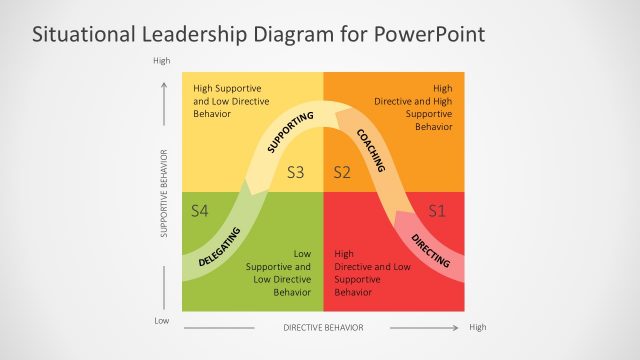
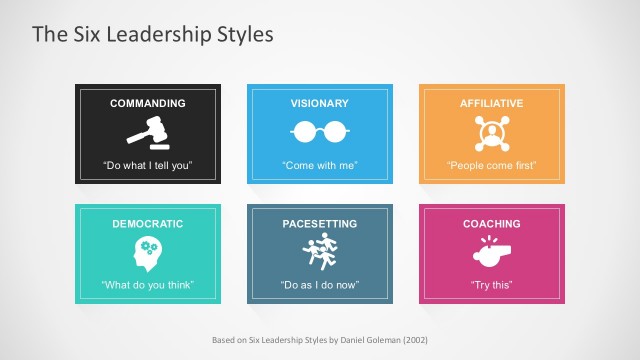
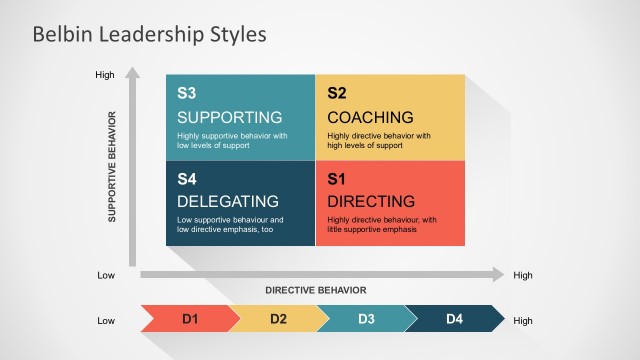
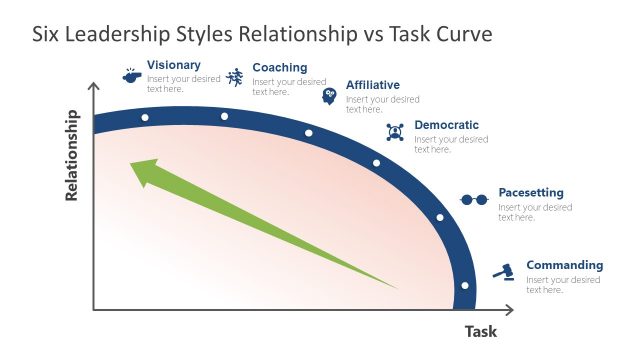
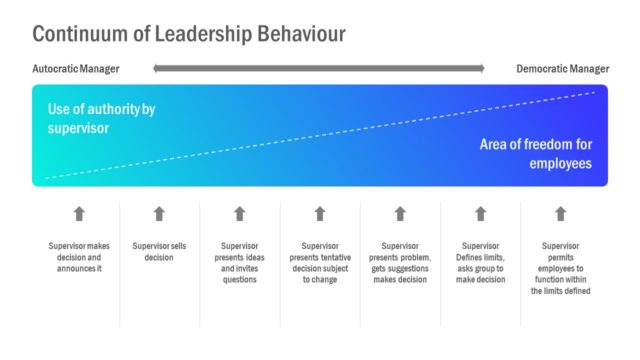
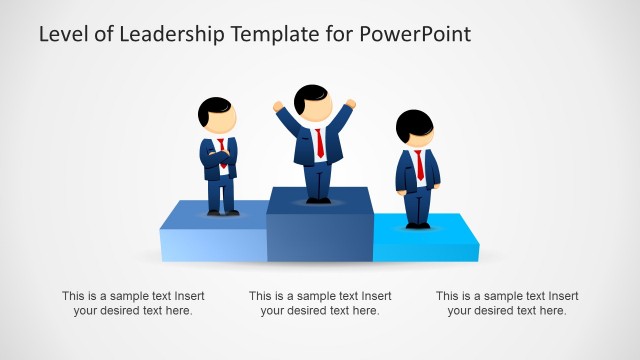
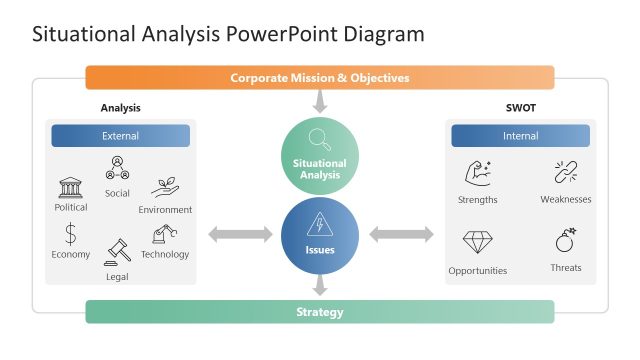
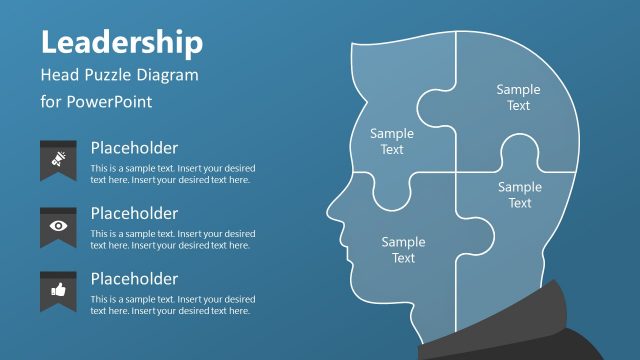
Situational Leadership Diagram for PowerPoint is a flat design chart showing the different leadership styles discussed under the Situational Leadership theory. The PowerPoint diagrams come in a white and dark background. The left side shows a style where control is maintained by a manager and the right side shows the release of control. The slides are represented by PowerPoint arrows and colored diagram illustrations. The Situational Leadership Diagram PowerPoint is intended for business managers and team leaders that need to review the leadership behaviour of their organization and groups of influence. Users may even use this editable PowerPoint as training slides or situational strategy charts.
Situational leadership theory, developed by Kenneth Blanchard and Paul Hersey, refers to leaders that must vary their leadership style depending on the professional maturity level of their subordinates/followers. Situational leadership states that the leader is responsible for changing behavior and not the follower.
The theory defines five (5) leadership styles, moving from the less maturity to higher maturity of followers.
- Tells: The leader in the influence group is the one making the decisions and informing other stakeholders of the decision. Also known as micro-management, the leader is actively involved and supervises the people working. Top-down approach where subordinate execute what they are told to do.
- Sells: The selling (also known as coaching) style of leadership, leaders are involved in the day-to-day activities. The decisions ultimately lie with the leader, but input is required from the followers. With this style of leadership, followers are still supervised but through coaching manner.
- Consults: The consults style of leadership handles more responsibility to the follower. Leaders still provides direction, and decisions but socialize facts with followers before deciding. Leaders provide feedback to increase followers confidence and motivation.
- Shares: Through sharing, leaders defines boundaries of direction and execution while followers end up deciding. This leadership style transfers ultimate responsibility to followers, while leaders monitor the decision process.
- Delegates: Through delegation, the leader is involved the least amount with the follower. Subordinates are responsible for choosing the tasks and directions they will take. Leaders still stay involved for direction and or feedback .With this style of leadership, the subordinates know their role and perform with little supervision.
The flat color quadrants show the different phases in a situational leadership process. As well as shows the five main styles of leadership that has been identified as tells, sells, consults, shares, and delegates. The visuals and content layout are designed to its maximum adaptability. Users can replace the descriptions with their own data respectively, and change theme color to match their style. They can quickly customize and give the presentation a professional touch.
Alternatively, users have a wide set of PowerPoint template options to represent ideas. All templates are editable and they help users to create professional diagrams easily. Create interesting and insightful content with thousands of PowerPoint templates to choose from. Check the gallery for the Latest PowerPoint Templates.
What’s inside this template
Example presentation scenarios
- An HR trainer can use the leadership continuum arrow chart to explain how authority decreases as subordinate freedom increases during a management development session.
- A team leader can use the five-style strip to compare tells, sells, consults, shares, and delegates when discussing how to manage employees at different readiness levels.
- A management consultant can use the authority-freedom wedge diagram to diagnose a client's current leadership approach and recommend where delegation should increase.
- An executive coach can use the dark background version to run a focused workshop conversation about control, feedback, and decision ownership.
Features
- 100% editable presentation template
- Compatible with Microsoft PowerPoint and Google Slides
- 16:9 aspect ratio slides
- Scalable vector shapes, icons and illustrations
- AI-Ready for Microsoft Copilot and Claude
- Instant access and download
Frequently asked questions
Q: How should a presenter explain the continuum without making one leadership style seem automatically better than the others?
A: Frame the diagram as a fit-for-situation model, not a ranking. Start with tells and sells for low experience or high-risk work, then move through consults and shares as confidence grows. Use the delegates column to show maturity and trust, while reminding the audience that leaders may move back along the continuum when conditions change.
Q: Who is this template best suited for in a leadership or training session?
A: It works best for managers, HR trainers, consultants, and team leads who need a simple visual explanation of control, coaching, consultation, shared decisions, and delegation. The five-style labels make it useful for workshops where participants compare their current leadership behavior against the maturity or independence of their teams.
Q: Why does the design use a diagonal authority-freedom metaphor?
A: The diagonal shape makes the tradeoff visible: as leader authority reduces, freedom for subordinates expands. That metaphor helps the audience understand the relationship faster than a text list would. The repeated five labels below the diagram keep the abstract movement tied to practical leadership behaviors.


Situational Leadership Diagram PowerPoint
4-slide presentation template for situational leadership, authority, freedom, and leadership continuum diagrams.
Situational Leadership Diagram PowerPoint is a 4-slide diagram template for explaining leadership control and subordinate freedom. It includes a leadership continuum arrow chart, a five-style strip for tells, sells, consults, shares, and delegates, plus light and dark authority-freedom wedge layouts for managers and trainers in PowerPoint or Google Slides.
- Category
- Business PowerPoint Templates
- Rating


 Loading...
- Aspect ratio
- 16:9, 4:3
- Item ID
- 7275-02
- Colors
 Microsoft PowerPoint
 Microsoft Copilot
 Claude for PowerPoint
Other formats supported
Subscribe today and get immediate
access to download our PowerPoint templates.