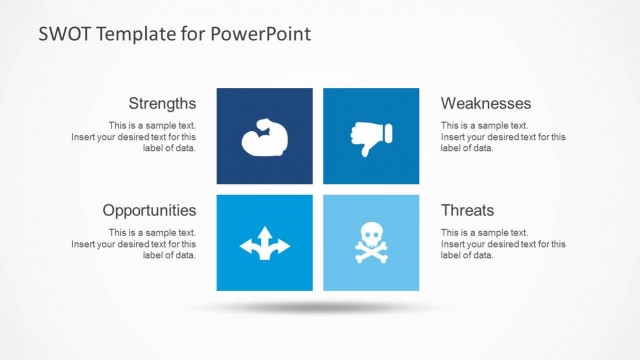
Slide 2 of 9 from Simple SWOT PowerPoint Template
6184-01-swot-template-powerpoint-2
SWOT Analysis Quadrant for Presentations
- Diagram
- Matrix Quadrant
- Strategic Analysis Slide
- 16:9
- 100% Editable
The SWOT Analysis Quadrant slide from the Simple SWOT PowerPoint Template offers a clear matrix layout ideal for business strategy presentations. This slide template features editable shapes and vector icons to visually organize strengths, weaknesses, opportunities, and threats, supporting marketing analysis and competitive assessments within a corporate presentation or pitch deck template.
What’s on This Slide
The layout features a quadrant diagram divided into four sections labeled Strengths, Weaknesses, Opportunities, and Threats. The top left section contains a blue background with a white icon representing strengths. The top right section is labeled Weaknesses, while the bottom left section highlights Opportunities with an icon, and the bottom right section is marked Threats. There are text placeholders in the Strengths section and a separate area on the right for additional details. The overall design is clean with a light background and clear visual hierarchy.
How to Use It
This layout serves as a SWOT analysis tool, ideal for presenting internal and external factors affecting a business. It fits within a strategic planning presentation, typically following a problem-framing slide. This structure is useful for business assessments, marketing strategies, and competitive analysis, allowing for a clear visual representation of strengths, weaknesses, opportunities, and threats in a concise format.
Text Placeholders & Capacity
Keep your copy within these limits so it fits without resizing. Node body slots can hold around 100 characters each.
| Placeholder | Count | Max characters (approx.) |
|---|---|---|
| Item heading | 4 | 20 |
| Item body | 1 | 100 |
| Slide title | 1 | 30 |
Slide Keywords
Download unlimited PowerPoint templates, charts and graphics for your presentations with our annual plan.
DOWNLOADReturn to Simple SWOT PowerPoint Template.