Slide 1 of 9 from Simple SWOT PowerPoint Template
6184-01-swot-template-powerpoint-1
SWOT Analysis Template for Presentations
- Diagram
- Matrix Quadrant
- Strategic Analysis Slide
- 16:9
- 100% Editable
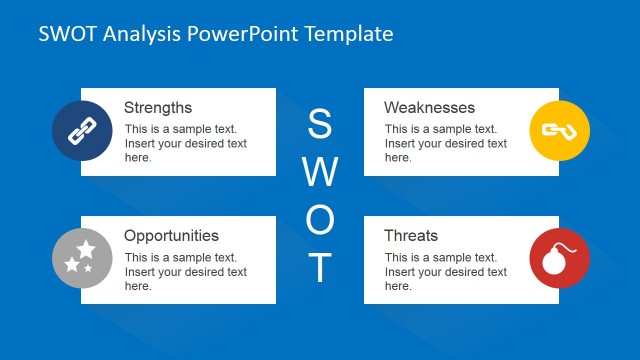
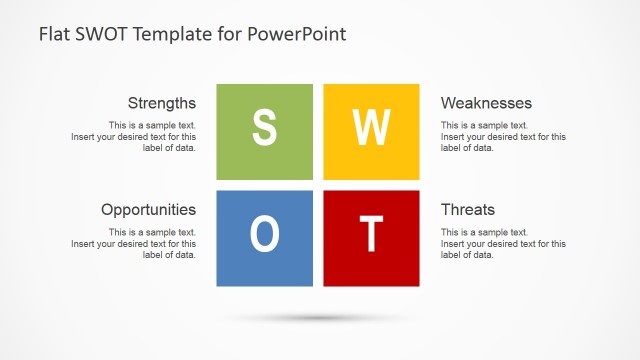
The SWOT Analysis Quadrant slide from the Simple SWOT PowerPoint Template offers a clear, editable slide layout for presenting strengths, weaknesses, opportunities, and threats in a balanced matrix. Ideal for business presentation templates, this slide supports strategic analysis during marketing planning and competitive analysis sessions, featuring vector icons and distinct color-coded quadrants for enhanced readability.
What’s on This Slide
The layout features a four-quadrant matrix divided into Strengths, Weaknesses, Opportunities, and Threats sections. Each quadrant is represented by a solid color background, with icons positioned centrally above text placeholders. The Strengths and Opportunities quadrants are in darker shades, while the Weaknesses and Threats quadrants use lighter shades. Text placeholders are aligned centrally within each quadrant, allowing for easy insertion of relevant data. The overall composition is balanced, with clear visual separation between quadrants, enhancing readability and focus.
How to Use It
This layout serves as a SWOT analysis matrix, effectively categorizing internal and external factors impacting a business. It fits well at the beginning of a strategic presentation, introducing key concepts. Real-world applications include business planning sessions, marketing strategy discussions, and competitive analysis. It allows presenters to succinctly convey strengths, weaknesses, opportunities, and threats, facilitating informed decision-making and strategic planning.
Text Placeholders & Capacity
Keep your copy within these limits so it fits without resizing. Node body slots can accommodate roughly 10-15 words each.
| Placeholder | Count | Max characters (approx.) |
|---|---|---|
| Slide title | 1 | 30 |
| Item heading | 4 | 20 |
| Item body | 4 | 50 |
Slide Keywords
Download unlimited PowerPoint templates, charts and graphics for your presentations with our annual plan.
DOWNLOADReturn to Simple SWOT PowerPoint Template.