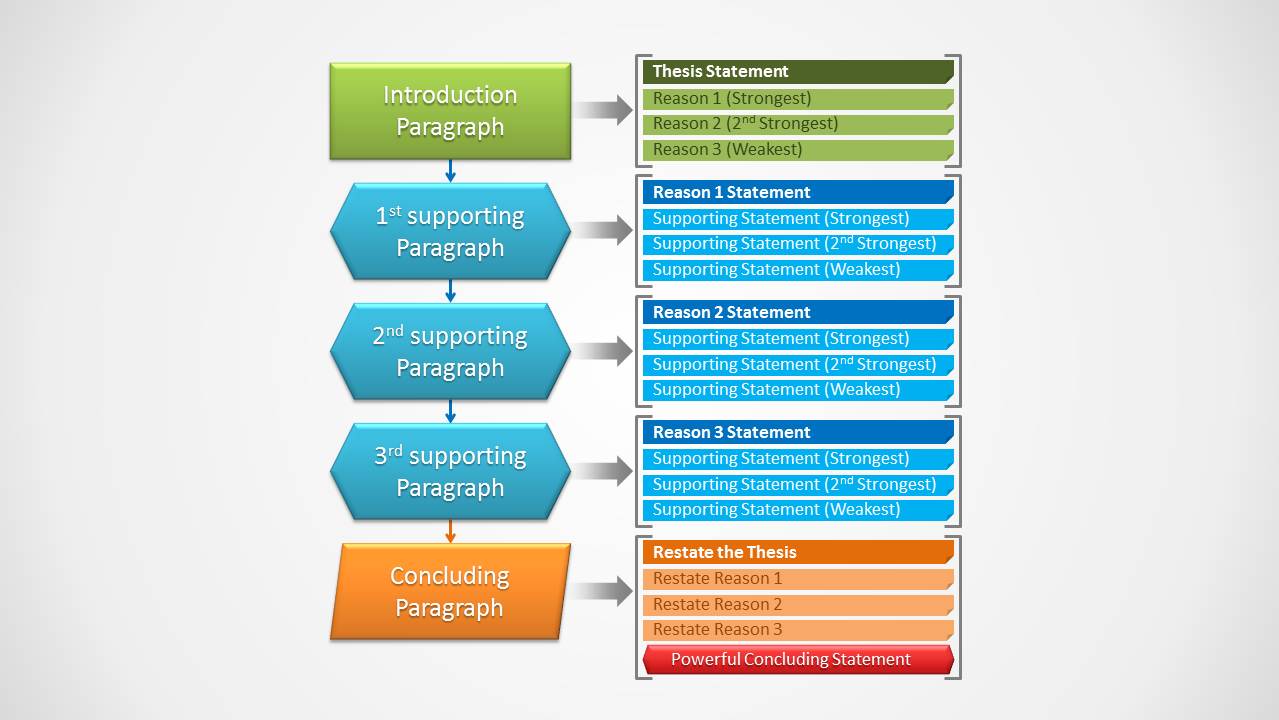
Impress global audiences with Simple Sequence Diagram for PowerPoint and its effective visual aids. The PowerPoint template features a general outline of different process flow and literary writing. It is a clear and colorful collection of shapes. The layout is appealing with a classic look that can cater to a wide array of subject matters.
The PowerPoint template is ideal for presentations on 4 to five steps process flows. It is perfect for essay outlines, developmental reading and feature article processing. These slide designs can summarize long literary pieces such as novels, memos and reports to comprehensive ideas. The goal is to highlight on the most significant points of every concept. The shapes are extremely flexible with a fully customizable setting. Features such as the color, text fonts, placement and sizes can be altered by the user. The presenter can also copy and paste them to different PowerPoint presentations.
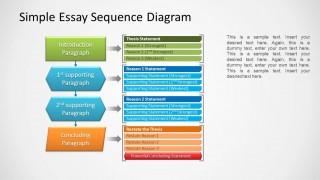
There are two powerful slide designs in the template. The first one contains a set of geometric shapes that contain the key points or parts of the layout. These shapes are rectangle and hexagon. They are colored green, blue and orange, representing different phases of the outline. Each one has corresponding text boxes where the presenter can enter brief descriptions or excerpts. The green shapes symbolize the introductory part. The blue ones showcase the body and details of the concept. Lastly, the orange serves as the conclusion of the report. In the first slide, there are 2 blue shapes where the user can detail on the processes or ideas within the topic. The second slide, however, allows 2 main points.
Sequence means order- of events, tasks, movements or things. It can a progression, chronology or timeline. It has to associate related items to illustrate a relationship and connection between its elements.
Simple Sequence Diagram for PowerPoint is a group of quality PowerPoint diagrams that depict outlines and process flows. Download Process Flow PowerPoint Templates at the SlideModel gallery.
What’s inside this template
Example presentation scenarios
- A teacher can use the four-step essay sequence diagram to explain how a thesis statement, supporting reasons, and conclusion connect in a writing lesson.
- A corporate trainer can use the five-step process flow to break a procedure into major steps and list supporting statements beside each step.
- A student presenter can use the right-side detail boxes to summarize an article, memo, or report into an introduction, supporting points, and conclusion.
- A business analyst can use the connected paragraph blocks to show the logical order of a short recommendation or decision rationale.
Features
- 100% editable presentation template
- Compatible with Microsoft PowerPoint and Google Slides
- 16:9 aspect ratio slides
- Scalable vector shapes, icons and illustrations
- AI-Ready for Microsoft Copilot and Claude
- Instant access and download
Frequently asked questions
Q: How should a presenter use this diagram to make an essay or process easier to follow?
A: Start with the colored blocks on the left as the main outline, then use the right-side boxes for proof, reasons, or supporting statements. Keep each block label short so the audience can see the order quickly. Explain one row at a time, moving from introduction to body points and then to conclusion.
Q: Who is this template best suited for?
A: This template fits educators, trainers, students, and business presenters who need to teach ordered thinking rather than show heavy data. It works well for essay planning, article summaries, report outlines, and simple process explanations because the visible structure separates the main sequence from the supporting details.
Q: Why does the visual design use stacked shapes, arrows, and matching detail boxes?
A: The vertical chain acts as a path metaphor, showing that each paragraph or process step builds on the previous one. Arrows make the reading direction clear, while the matching detail boxes keep evidence and subpoints aligned with the correct stage. The color shift from green to blue to orange reinforces beginning, middle, and end.

Simple Sequence Diagram for PowerPoint
2-slide presentation template with essay sequence diagrams, paragraph flow, and editable detail boxes
Simple Sequence Diagram for PowerPoint is a 2-slide diagram template for organizing essay or process order. It includes a five-step paragraph sequence, a four-step essay sequence diagram, right-side detail boxes, and connector arrows. It is intended for educators, trainers, and business presenters using Microsoft PowerPoint or Google Slides.
- Category
- Diagrams
- Rating


 Loading...
- Aspect ratio
- 16:9, 4:3
- Item ID
- 1157-01
- Colors
 Microsoft PowerPoint
  Microsoft Copilot
  Claude for PowerPoint
 Other formats supported
Subscribe today and get immediate
access to download our PowerPoint templates.