Slide 3 of 3 from Simple Line Chart for PowerPoint
Stacked Bard Chart with Series PowerPoint Slide Design
Simple Line Chart PowerPoint Template
- Chart
- Bar Horizontal
- Evaluation Slide
- 16:9
- 100% Editable
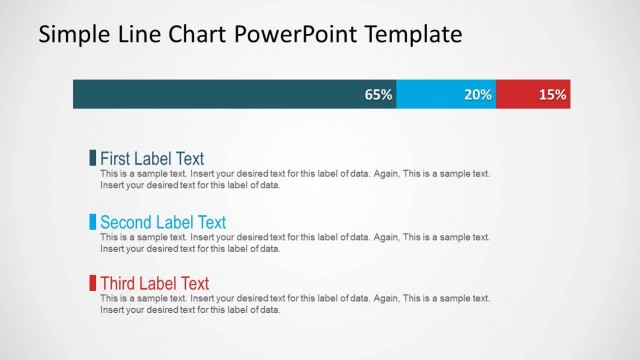
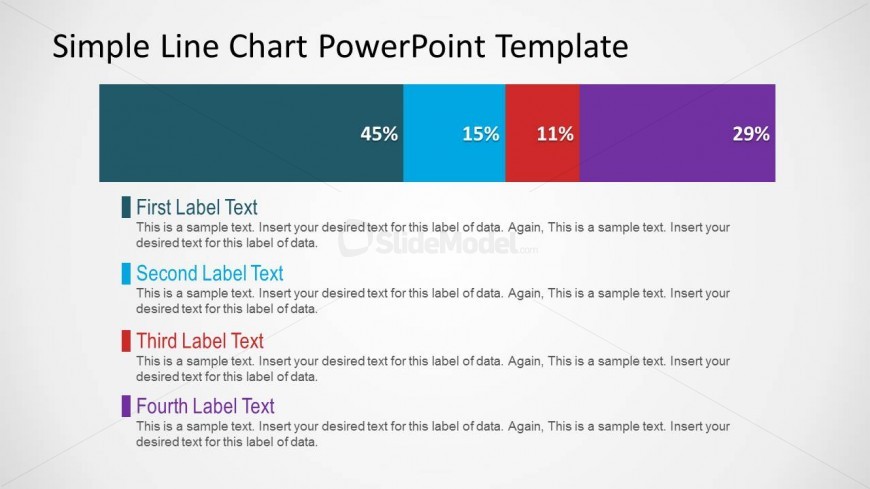
The Simple Line Chart with Labels slide from the Simple Line Chart for PowerPoint template offers a clear and organized layout ideal for business presentations requiring data visualization. This slide features editable shapes and color-coded segments to represent comparative metrics, making it suitable for sales performance reviews, market share analysis, and project status updates. Its design supports easy customization within slide templates, enhancing corporate presentations and pitch deck templates that focus on data-driven insights.
What’s on This Slide
The slide features a horizontal line chart with four colored segments representing data percentages: 45%, 15%, 11%, and 29%. Each segment is accompanied by a corresponding label positioned vertically to the left of the chart. Below the chart, there are four text placeholders for detailed descriptions, aligned to the left. The color scheme includes teal, blue, red, and purple for the segments, with a light background. The overall layout emphasizes clarity and organization, with a clear visual hierarchy between the chart and the text placeholders.
How to Use It
This layout serves as a data visualization tool, effectively displaying comparative metrics across four categories. It fits well in presentations that require data analysis or performance tracking, particularly in business contexts such as sales reports, project updates, or market analysis. The structure allows for easy updates to the data and labels, making it suitable for various reporting scenarios. It is best used in the concluding sections of a presentation to summarize findings or highlight key metrics.
Text Placeholders & Capacity
Keep your copy within these limits so it fits without resizing. Node body slots can hold roughly 15-20 words each.
| Placeholder | Count | Max characters (approx.) |
|---|---|---|
| Item heading | 4 | 30 |
| Item body | 4 | 100 |
| Chart title | 1 | 50 |
Slide Keywords
Download unlimited PowerPoint templates, charts and graphics for your presentations with our annual plan.
DOWNLOADReturn to Simple Line Chart for PowerPoint.