Slide 1 of 3 from Simple Line Chart for PowerPoint
1163-simple-line-chart-wide-1
Simple Line Chart for PowerPoint
- Chart
- Line Chart
- Evaluation Slide
- 16:9
- 100% Editable
The Simple Line Chart slide from the Simple Line Chart for PowerPoint template offers a clean and minimalistic layout ideal for business presentations. This slide template features editable shapes and vector icons to visually represent performance reviews, sales reports, or project updates with clear data comparisons. Its design supports concise communication of key metrics, making it a practical choice for corporate presentations and slide decks requiring straightforward data visualization.
What’s on This Slide
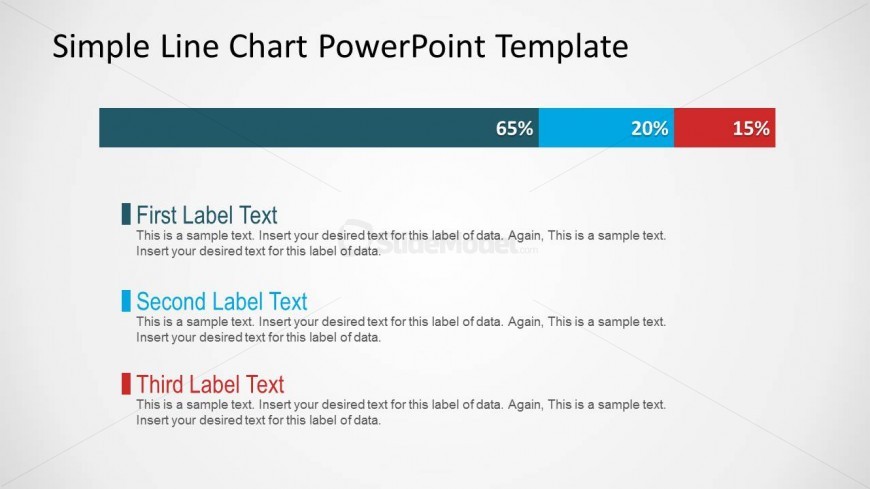
The layout features a horizontal segmented line chart at the top, displaying three percentage values: 65%, 20%, and 15%. Below the chart are three text placeholders aligned vertically. The first placeholder is for the first label text, followed by the second and third label texts. Each label has a corresponding colored block to the left, visually linking them to the chart. The overall composition is clean and minimalistic, with a light background and dark text, ensuring clarity and focus on the data presented.
How to Use It
This layout serves to present data comparisons through a simple line chart, making it suitable for showcasing metrics or performance indicators. It fits well in a presentation sequence following an introduction or problem statement, providing a clear visual representation of data. This structure is ideal for business scenarios such as performance reviews, sales reports, or project updates, where concise data visualization is essential for decision-making.
Text Placeholders & Capacity
Keep your copy within these limits so it fits without resizing. Node body slots can accommodate roughly 15-20 words each.
| Placeholder | Count | Max characters (approx.) |
|---|---|---|
| Chart title | 1 | 30 |
| Item heading | 3 | 25 |
| Item body | 3 | 100 |
Slide Keywords
Download unlimited PowerPoint templates, charts and graphics for your presentations with our annual plan.
DOWNLOADReturn to Simple Line Chart for PowerPoint.