The Sales Action Plan PowerPoint Template is a multi-column layout for presenting the strategic sales plan outline. A sales action plan is a comprehensive guide for sales reps to follow and focus on their goals. This plan includes important notes and tasks about different aspects of the sales process, such as products & services, distribution strategy, and KPIs. So, with this well-prepared document, sales teams can be aligned to achieve common objectives that project a better impact on revenue generation and conversion rates. We have prepared this 100% editable action plan template for our corporate sales professional users to prepare a streamlined sales action plan on a single page.
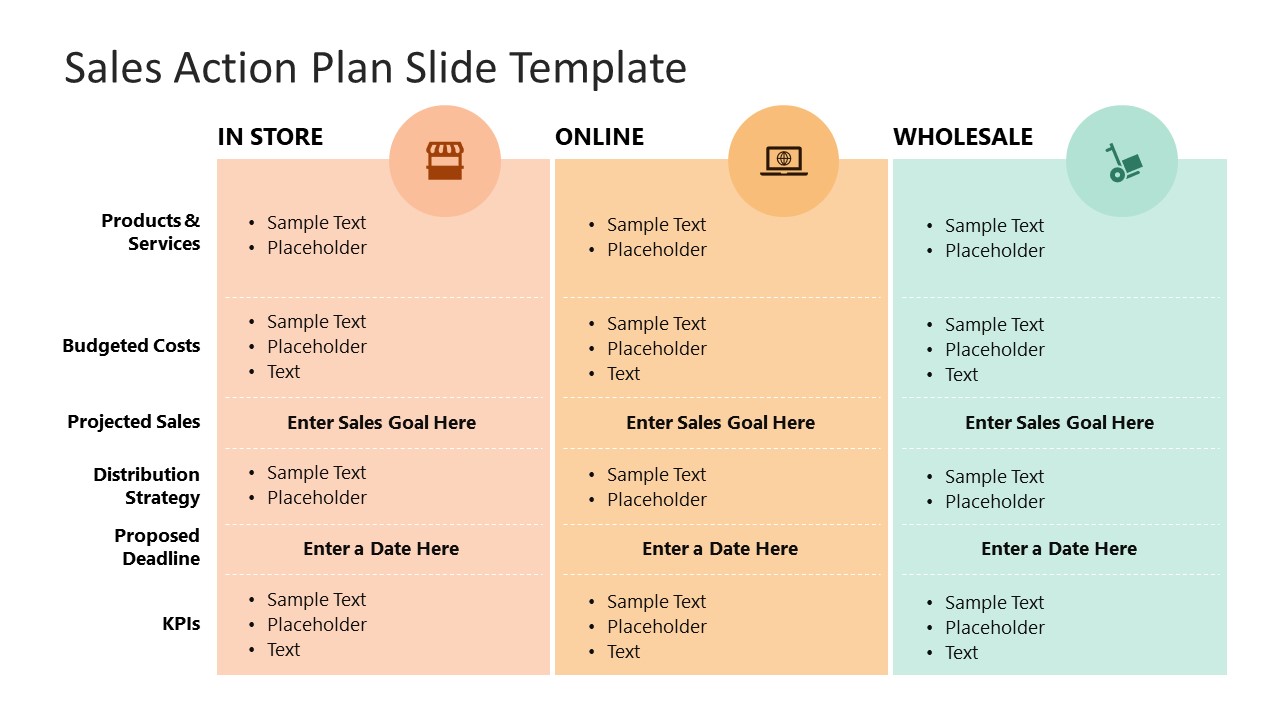
This Sales Action Plan PowerPoint Template carries two editable slides that vary in the organization of the data, i.e., the first slide has a vertical arrangement. In contrast, the other has a horizontal layout. The first template slide has a three columns layout indicating the three modes of the business (in-store, online, and wholesale). These three segments are colored differently for easy recognition during the slideshow. The key parameters like products & services, budgeted costs, projected sales, distribution strategy, proposed deadline, and KPIs are mentioned along the rows of this table. Presenters can conveniently edit the provided placeholder text in the segments to add their customized data for each field. We have added bullet points and font pre-sets to organize the information for understanding. However, users can re-adjust the graphics and settings according to the presentation theme.
Presenters can choose from either slide option and change the background settings. The slides are ideal for team discussions and strategic planning meetings, and sales teams can collaborate and fill in the fields to produce an actionable plan for their sales personnel. Both slide templates are editable with all PowerPoint versions, Google Slides, and Keynote. So, download and try it now!
What’s inside this template
Example presentation scenarios
- A sales manager can use the vertical channel matrix to compare in-store, online, and wholesale priorities during a sales planning meeting.
- A sales operations lead can use the horizontal sales plan table to review products, budgeted costs, projected sales, deadlines, and KPI ownership with the team.
- A retail leadership team can use the channel icons and color-coded table sections to decide which sales actions should receive focus in the next quarter.
- A business development presenter can use the KPI and proposed deadline fields to turn a sales strategy discussion into an action-oriented follow-up plan.
Features
- 100% editable presentation template
- Compatible with Microsoft PowerPoint and Google Slides
- 16:9 aspect ratio slides
- Scalable vector shapes, icons and illustrations
- AI-Ready for Microsoft Copilot and Claude
- Instant access and download
Frequently asked questions
Q: How should a presenter communicate the sales plan clearly with this template?
A: Start by naming the channels that matter to the audience, then fill each row with short action phrases rather than long explanations. Use the projected sales, proposed deadline, and KPI fields as decision points. The table works best when every channel is measured against the same criteria, making priorities and gaps easy to discuss.
Q: Who is this template best suited for in a sales planning process?
A: This template fits sales managers, revenue leaders, and sales operations teams that need a one-page view of channel actions. It is most useful when in-store, online, and wholesale plans must be compared side by side before assigning owners, budgets, deadlines, or KPI expectations in a planning meeting.
Q: Why does the design offer both vertical and horizontal sales plan layouts?
A: The two layouts support different reading behaviors. The vertical matrix emphasizes channel comparison, which helps when the audience wants to see how in-store, online, and wholesale plans differ. The horizontal table emphasizes process criteria, which helps when the conversation needs to move across products, costs, sales goals, distribution, deadlines, and KPIs.


Sales Action Plan PowerPoint Template
2-slide presentation template for sales action plans with channel tables and KPI fields
The Sales Action Plan PowerPoint Template is a 2-slide business presentation template for organizing sales strategy by channel. It includes a vertical three-column action plan matrix and a horizontal row-based sales plan table with products, costs, projected sales, distribution strategy, deadlines, and KPI fields for sales managers using PowerPoint or Google Slides.
- Category
- Business PowerPoint Templates
- Rating

 Loading...
- Aspect ratio
- 16:9
- Item ID
- 21876-01
- Colors
 Microsoft PowerPoint
 Microsoft Copilot
 Claude for PowerPoint
Other formats supported
Subscribe today and get immediate
access to download our PowerPoint templates.