By definition, an action plan is a set of various tasks performed to achieve a specific target. The Action Plan Slide Template for PowerPoint is a simple design to present a group of functions and the actions required to complete them. The user can show the necessary TODO’s in a snapshot, and it explains all the required details concisely.
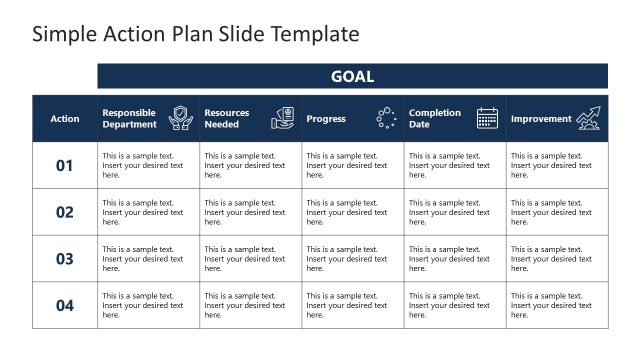
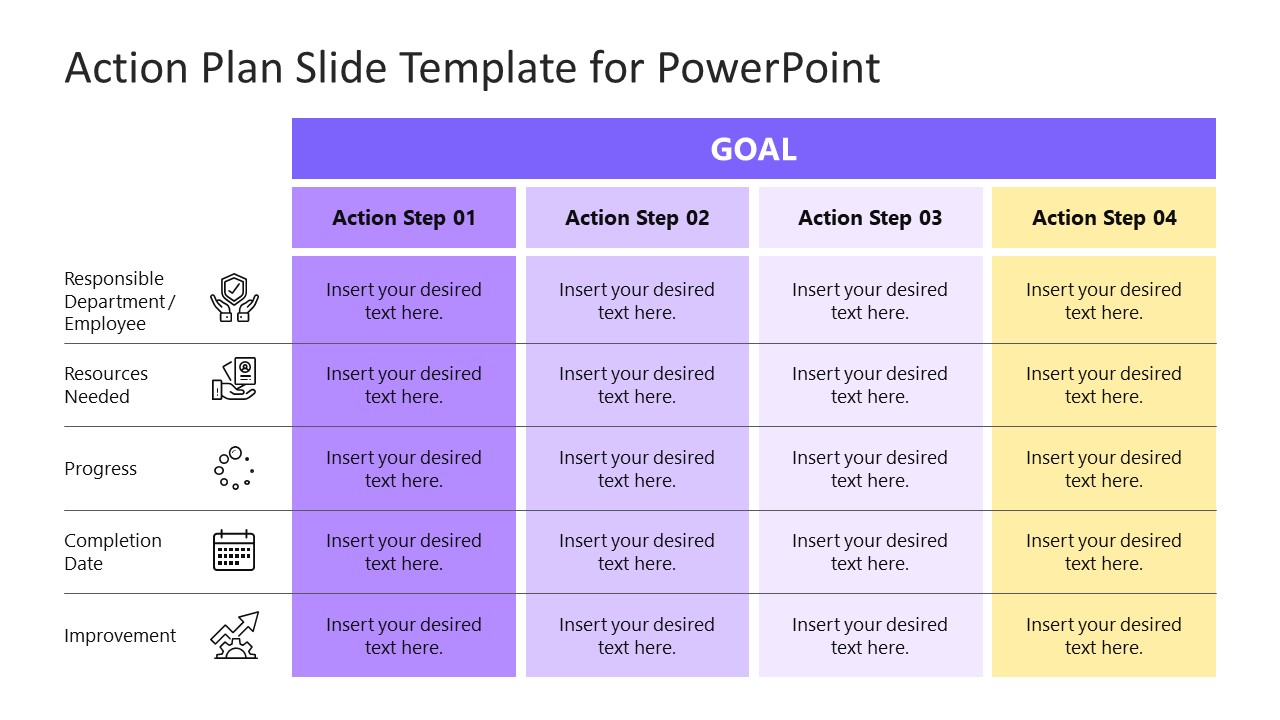
The structure of this slide is based on a simple table. It contains four (4) columns, each referencing a step of the action plan. Each row represents an attribute of the action step.
- Responsible Department: Allocates the task to the particular department
- Resources needed: Figures the actual cost required for the successful completion of the task
- Progress: Defines the primary aim of the action step and how the resources are used to form outputs leading to the goal
- Completion Date: Settles a tentative date on which the task/action should be completed for a smooth progress
- Improvement: Suggest what improvement is being made through the action.
All the mentioned parameters make this action plan template a comprehensive chart. This PowerPoint template helps present a business plan or a roadmap to achieve a specific objective. Professionals can use this template to propose new strategies and ideas stepwise. Marketing agencies and economists can also use this layout to present general marketing and business growth strategies.
The overall design of the Action Plan Slide Template for PowerPoint is attractive and has two background color variations. The professionals can download this template and customize its various components according to their topic. Further, the presenters can modify the titles, font styles, and graphic icons. And prepare their presentations in just a few simple steps.
What’s inside this template
Example presentation scenarios
- A project manager can use the four-step matrix to brief stakeholders on who owns each action, which resources are needed, and when completion is expected.
- A department leader can present an execution plan by placing operational activities under Action Step 01 through Action Step 04 and using the progress row to show expected outputs.
- A consultant can summarize a client roadmap by using the goal header for the target outcome and the improvement row to connect each action step to business impact.
- A marketing team can align campaign tasks by assigning departments, resource needs, progress notes, deadlines, and improvement goals in the row-labeled planning table.
Features
- 100% editable presentation template
- Compatible with Microsoft PowerPoint and Google Slides
- 16:9 aspect ratio slides
- Scalable vector shapes, icons and illustrations
- AI-Ready for Microsoft Copilot and Claude
- Instant access and download
Frequently asked questions
Q: How should a presenter explain the action plan without crowding the table?
A: Start with the goal bar, then discuss one action step column at a time. Keep each cell to a short phrase rather than a full sentence. The row labels guide the audience through ownership, resources, progress, completion date, and improvement, so the spoken explanation can carry detail while the slide stays readable.
Q: Who is this template best suited for in a planning meeting?
A: This template fits project managers, department heads, consultants, and business planners who need to turn a strategy into accountable work. It is best when the audience must compare several action steps quickly and understand the operational facts behind each one, such as owner, resource requirement, status, deadline, and expected improvement.
Q: Why does the matrix format work well for an action plan?
A: The matrix acts like a compact execution checklist: columns separate the steps, while rows apply the same decision criteria to every step. That repeated structure reduces ambiguity because each action is evaluated against the same responsibilities, resources, progress, timing, and improvement measures.


Action Plan Slide Template for PowerPoint
2-slide action plan presentation template with goal matrix and four-step roadmap table
Action Plan Slide Template for PowerPoint is a 2-slide planning table for outlining a goal, four action steps, responsibility, resources, progress, completion date, and improvement. It includes light and dark 16:9 versions with row icons and editable matrix cells for business planners using Microsoft PowerPoint or Google Slides.
- Category
- Timelines & Planning
- Rating


 Loading...
- Aspect ratio
- 16:9
- Item ID
- 21281-01
- Colors
 Microsoft PowerPoint
 Microsoft Copilot
 Claude for PowerPoint
Other formats supported
Subscribe today and get immediate
access to download our PowerPoint templates.