Slide 10 of 13 from Rebranding Strategy PowerPoint Template
Visual Identity Evolution Process Cards Presentation
Visual Identity Evolution Slide for Branding
- Diagram
- Arrow Sequence
- Concept Explanation Slide
- 16:9
- 100% Editable
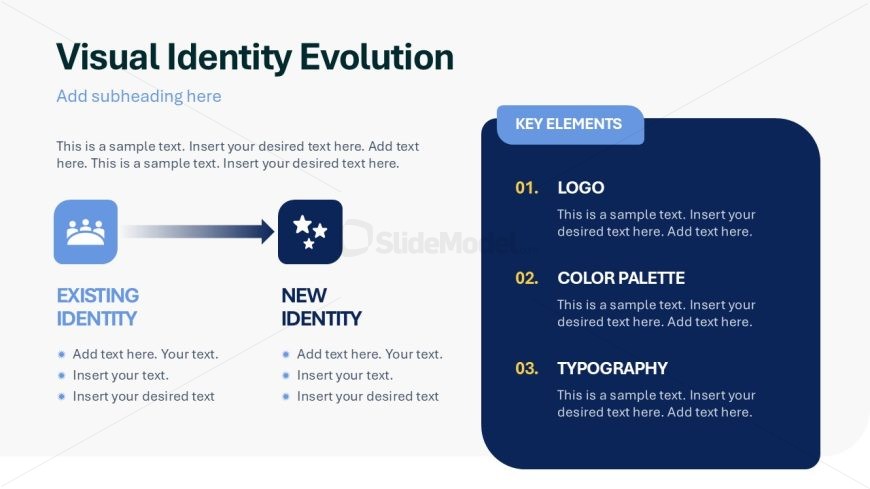
The Visual Identity Evolution slide from the Rebranding Strategy PowerPoint Template offers a clear diagram layout ideal for illustrating brand identity changes. This slide template features editable shapes and vector icons to highlight key elements such as logo, color palette, and typography, making it suitable for corporate presentations and marketing team workshops focused on rebranding strategy. Its structured arrow sequence aids in communicating the transition from existing to new brand identity within a professional slide deck.
What’s on This Slide
The layout features a left-aligned section with a flow from 'Existing Identity' to 'New Identity' using an arrow. Below, there are two circular icons representing existing and new identities. To the right, a vertical list titled 'Key Elements' displays three numbered items: Logo, Color Palette, and Typography, each with placeholder text for descriptions. The background is light with a gradient, and the text is primarily dark blue. There are multiple text placeholders aligned to the left and right, creating a balanced visual hierarchy.
How to Use It
This layout serves as a visual comparison of brand identity evolution, suitable for presentations discussing rebranding strategies. It fits well after problem framing slides, providing a clear transition to solutions. This slide is useful for marketing teams to illustrate changes in brand identity elements or for strategic discussions on brand evolution. It can be used in workshops or client meetings focused on brand development.
Text Placeholders & Capacity
Keep your copy within these limits so it fits without resizing. Body slots can hold roughly 10-15 words each.
| Placeholder | Count | Max characters (approx.) |
|---|---|---|
| Slide title | 1 | 40 |
| Subtitle | 1 | 40 |
| Body paragraph | 4 | 80 |
| Item heading | 3 | 20 |
| Item body | 3 | 80 |
Slide Keywords
Download unlimited PowerPoint templates, charts and graphics for your presentations with our annual plan.
DOWNLOADReturn to Rebranding Strategy PowerPoint Template.