Slide 3 of 12 from Path to Success PowerPoint Template
Current Starting Point Slide with Infographics
Current Starting Point Slide Overview
- Text Layout
- List Blocks
- Strategic Analysis Slide
- 16:9
- 100% Editable
The Current Starting Point Slide from the Path to Success PowerPoint Template offers a strategic analysis layout ideal for business presentations, project kick-offs, and performance reviews. This slide uses editable shapes and vector icons arranged clearly to highlight key factors such as strengths, weaknesses, and baseline metrics. Its balanced design supports effective communication in corporate presentations and pitch deck templates, helping presenters establish a clear starting point for strategic assessments.
What’s on This Slide
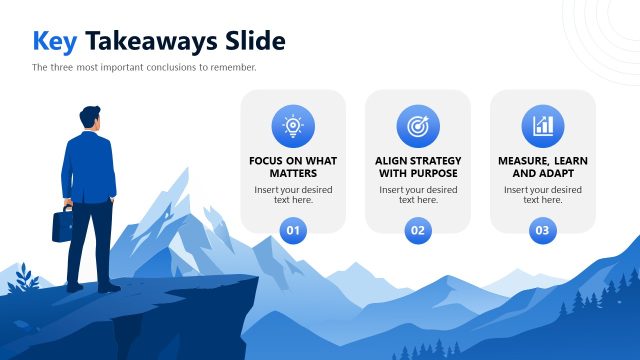
The layout features a mountain background with a figure looking towards it. At the top, a title is centered. Below, six circular icons are arranged in two columns, each with text placeholders beneath them. The icons represent 'Current Situation,' 'Strengths,' 'Weaknesses,' 'Baseline Metrics,' 'Key Objective,' and 'Starting with Clarity.' Each icon is visually distinct, with varying colors and shapes. The text placeholders are aligned centrally under each icon, maintaining a consistent visual hierarchy. The overall composition is balanced, with ample white space around elements for clarity.
How to Use It
This layout serves as a strategic assessment tool, summarizing key aspects of a project or initiative. It fits well in a presentation sequence after introducing the context and before outlining specific strategies. It is suitable for business scenarios such as project kick-offs, performance reviews, or strategic planning sessions, where stakeholders need to understand the current state before moving forward. The layout can be adapted for various industries to highlight strengths and weaknesses effectively.
Text Placeholders & Capacity
Keep your copy within these limits so it fits without resizing. Node body slots can hold about 15-20 words each.
| Placeholder | Count | Max characters (approx.) |
|---|---|---|
| Slide title | 1 | 30 |
| Item heading | 6 | 30 |
| Item body | 6 | 100 |
Slide Keywords
Download unlimited PowerPoint templates, charts and graphics for your presentations with our annual plan.
DOWNLOADReturn to Path to Success PowerPoint Template.