Slide 11 of 12 from Path to Success PowerPoint Template
Achieving the Summit PPT Slide – Path to Success Template
Achieving the Summit Slide Overview
- Text Layout
- Other
- Closing Slide
- 16:9
- 100% Editable
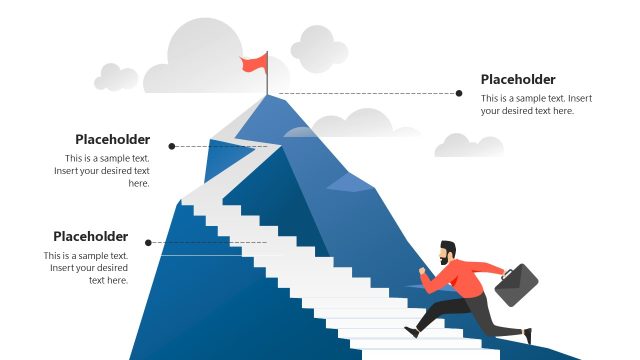
The Achieving the Summit slide from the Path to Success PowerPoint Template offers a clear closing layout ideal for highlighting project milestones and celebrating success. This slide integrates editable shapes and vector icons, including a target and trophy, to visually emphasize goal achievement in a corporate presentation or business presentation. Its design supports effective communication of performance reviews and project completions within professional slide decks.
What’s on This Slide
The layout features a central figure standing on a mountain peak, holding a flag. The figure is positioned on the right side, while the left side contains two text placeholders. One placeholder is circular with a target icon, and the other is rectangular with a trophy icon. Both placeholders are aligned vertically, with the circular one above the rectangular one. The background consists of stylized mountain ranges in varying shades of blue, creating a gradient effect. The title is prominently displayed at the top in a bold font, creating a clear visual hierarchy.
How to Use It
This layout serves as a concluding slide that emphasizes achievement and success. It is effective for summarizing key accomplishments or milestones in a project or presentation. Positioned towards the end of a presentation, it reinforces the journey towards success. This slide is suitable for business scenarios such as project completions, performance reviews, or goal-setting sessions, where celebrating achievements is essential.
Text Placeholders & Capacity
Keep your copy within these limits so it fits without resizing. Body slots can accommodate roughly 15-20 words each.
| Placeholder | Count | Max characters (approx.) |
|---|---|---|
| Slide title | 1 | 30 |
| Body paragraph | 3 | 100 |
| Item heading | 2 | 50 |
Slide Keywords
Download unlimited PowerPoint templates, charts and graphics for your presentations with our annual plan.
DOWNLOADReturn to Path to Success PowerPoint Template.