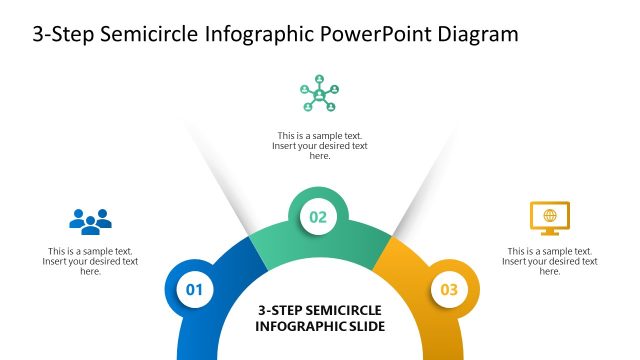
Slide 1 of 6 from Multi-step Radial Arc Infographic Diagram PowerPoint Template
Multi-step Radial Arc Infographic Diagram Slide
Three-Step Radial Arc Infographic Diagram
- Diagram
- Radial Hub
- Process Slide
- 16:9
- 100% Editable
The Three-Step Radial Arc Diagram from the Multi-step Radial Arc Infographic Diagram PowerPoint Template offers a clear visual for illustrating sequential processes such as project milestones or product development stages. This slide layout uses editable shapes and vector icons arranged in a semicircular format, making it suitable for business presentations and pitch deck templates that require concise explanation of phases.
What’s on This Slide
The layout features a semicircular diagram divided into three equal sections. Each section contains a numbered badge positioned at the top, with corresponding text placeholders below. The first section is colored blue, the second section is dark blue, and the third section is green. The text placeholders are centrally aligned within each section, allowing for clear visibility. The background is a light gray, providing contrast to the colored arcs. The overall composition emphasizes the radial flow from the center outward, creating a structured visual hierarchy.
How to Use It
This layout serves as a three-step process diagram, ideal for illustrating sequential stages or phases. It fits well in presentations that require clear, concise explanations of processes, such as project management or educational content. This structure is useful for business scenarios like outlining project milestones, product development stages, or training processes. It can also be adapted for marketing strategies or customer journey mapping, where clarity in steps is essential.
Text Placeholders & Capacity
Keep your copy within these limits so it fits without resizing. Node body slots can hold about 10-12 words each.
| Placeholder | Count | Max characters (approx.) |
|---|---|---|
| Item heading | 3 | 2 |
| Item body | 3 | 60 |
Slide Keywords
Download unlimited PowerPoint templates, charts and graphics for your presentations with our annual plan.
DOWNLOADReturn to Multi-step Radial Arc Infographic Diagram PowerPoint Template.