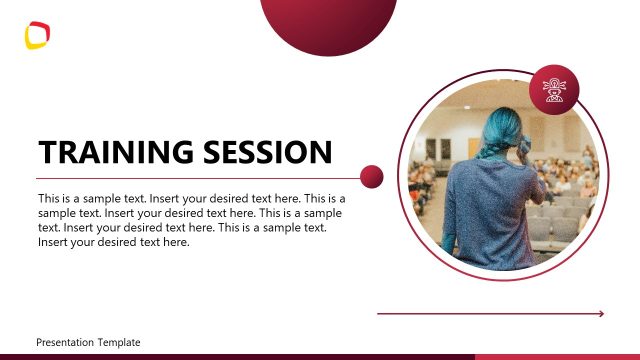
Create your microlearning session presentation with our creative & professional Microlearning PowerPoint Template. Microlearning is an innovative learning methodology that is introduced to make learning and training even simpler than ever before. It is based on dividing educational content into small digestible segments. It aims to provide concise and valuable information to the learners and to help them learn it during the session. For that, trainers work on courses and segment them into targeted portions, with a small assessment. We have developed a customizable microlearning PPT template with text boxes, human illustrations, and diagrams to prepare and present this microlearning course. Users can get this with a simple click and edit it according to their requirements. They can change the color scheme and add their institute logo to the provided space.
This Microlearning PowerPoint Template is a slide deck beginning with a cover slide for adding the presenters’ details or the trainers’ information & topic. It has an illustration of a person sitting on a stack of books. The next slide mentions the key takeaways; it carries the rocket, target, and light bulb icons to add motivational value to the learning objectives description. Likewise, the following slide has four blocks with icons to mention the data points. This slide also has a human illustration standing with a board & target symbol. Users can add their presentation points on this slide and change the font styles based on their choice.
The next slide is for a quick assessment where trainers can add multiple-choice or quiz questions to test the knowledge they have just provided. We have also provided the slide for showing the next steps that can be used to guide further training sessions or content. Trainers and educationists in all fields can use this template for microlearning purposes. For instance, microlearning presentation templates can help corporate professionals train employees for multiple skills instead of wholesome role rotation practice. Presenters can also use it to introduce the microlearning technique as part of learning processes. Download and try it today!
What’s inside this template
Example presentation scenarios
- A corporate trainer can introduce a short employee skill module by using the cover slide for the topic and the learning objectives slide to set the expected outcomes.
- An instructional designer can explain a new learning method by presenting the core principles slide, where four icon-labeled blocks separate the main ideas.
- A facilitator can close a workshop segment with the quick assessment slide, using the quiz cards to confirm whether learners understood the material.
- A team lead can use the next steps slide after a training recap to assign two follow-up actions and connect the microlearning session to later work.
Features
- 100% editable presentation template
- Compatible with Microsoft PowerPoint and Google Slides
- 16:9 aspect ratio slides
- Scalable vector shapes, icons and illustrations
- AI-Ready for Microsoft Copilot and Claude
- Instant access and download
Frequently asked questions
Q: How should a presenter use this template to keep a microlearning session focused?
A: Start with one narrow learning promise on the cover, then limit Slide 2 to three measurable objectives. Use the core principles slide for the few rules or behaviors learners must remember. Reserve the quick assessment for immediate recall, not deep testing, and use the next steps slide to turn the learning into action.
Q: Who is this template best suited for?
A: This template fits trainers, educators, and team leads who need to deliver a short, self-contained learning module. It works well for onboarding refreshers, compliance reminders, process introductions, or workshop segments where the presenter must explain a concept, reinforce it with a quick quiz, and assign follow-up actions.
Q: Why do the target, books, light bulb, and quiz card visuals work for microlearning?
A: The visual metaphors support the learning flow without adding much reading load. The book stack frames the topic as education, the target reinforces clear objectives, the icon blocks separate principles, the quiz cards signal knowledge checking, and the light bulb suggests applying the idea after the session.


Microlearning PowerPoint Template
5-slide microlearning presentation template with learning objectives, quiz assessment, and next steps layouts
The Microlearning PowerPoint Template is a 5-slide 16:9 training presentation for building short learning modules. It includes a cover slide, learning objectives with key takeaways, core principles blocks, quick assessment quiz cards, and next steps. Trainers, educators, and managers can edit it in Microsoft PowerPoint or Google Slides.
- Category
- PowerPoint Themes
- Rating

 Loading...
- Aspect ratio
- 16:9
- Item ID
- 94080-01
- Colors
 Microsoft PowerPoint
 Microsoft Copilot
 Claude for PowerPoint
Other formats supported
Subscribe today and get immediate
access to download our PowerPoint templates.