Slide 2 of 4 from McKinsey 7S Diagram for PowerPoint
6115-01-mckinsey-7s-framework-2
McKinsey 7S Diagram for PowerPoint
- Diagram
- Network Graph
- Strategic Analysis Slide
- 16:9
- 100% Editable
The McKinsey 7S Diagram slide from the McKinsey 7S Diagram for PowerPoint template offers a strategic analysis layout ideal for organizational and business model discussions. This slide features editable shapes and a network graph design to visually represent the interconnected elements of the 7S framework, supporting corporate presentations and strategic planning sessions.
What’s on This Slide
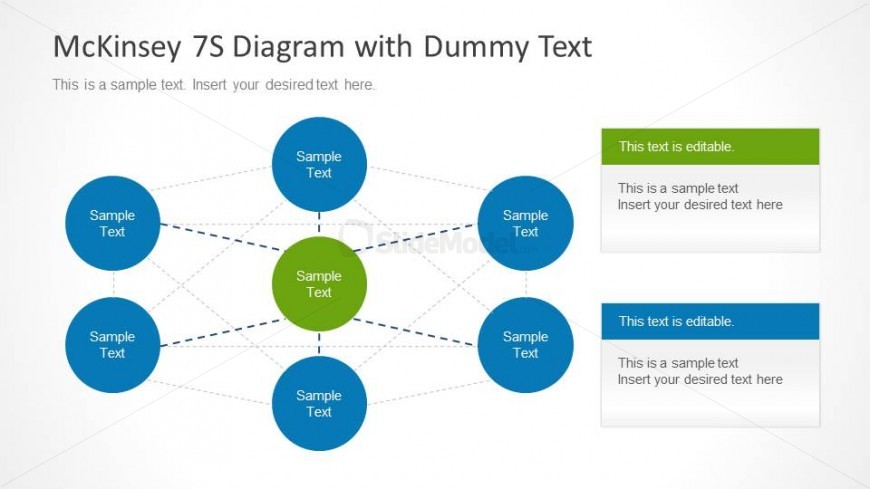
The slide features a central green node labeled 'Sample Text' surrounded by six blue nodes, each also labeled 'Sample Text'. Connecting lines form a network between the nodes, indicating relationships. To the right, there are two rectangular text placeholders, one green and one blue, for additional editable content. The background is light with a subtle gradient. The visual hierarchy emphasizes the central node, while the surrounding nodes are evenly spaced and connected. The overall layout is circular, promoting a sense of interconnectedness among elements.
How to Use It
This layout serves as a visual representation of the McKinsey 7S framework, ideal for discussing organizational elements such as strategy, structure, and systems. It fits within a presentation sequence that introduces the framework, followed by detailed analysis or case studies. This structure is useful for business strategy discussions, team alignment sessions, or workshops focused on organizational development. The editable text areas allow for customization to fit specific contexts or examples.
Text Placeholders & Capacity
Keep your copy within these limits so it fits without resizing. Node labels can hold about 2-3 words each, while body text slots can accommodate roughly 8-10 words.
| Placeholder | Count | Max characters (approx.) |
|---|---|---|
| Item heading | 7 | 12 |
| Body paragraph | 2 | 50 |
| Slide title | 1 | 50 |
Slide Keywords
Download unlimited PowerPoint templates, charts and graphics for your presentations with our annual plan.
DOWNLOADReturn to McKinsey 7S Diagram for PowerPoint.