Slide 8 of 9 from Jumping Over Obstacles PowerPoint Template
Dark Challenges & Hurdles Timeline for PowerPoint
Timeline of Overcoming Obstacles Slide
- Diagram
- Timeline Horizontal
- Process Slide
- 16:9
- 100% Editable
The Timeline of Overcoming Obstacles slide from the Jumping Over Obstacles PowerPoint Template offers a horizontal timeline layout ideal for illustrating project milestones and annual reviews. This slide uses editable shapes and vector icons to highlight barriers and progress across years, making it a practical choice for business presentations and strategic planning within slide decks.
What’s on This Slide
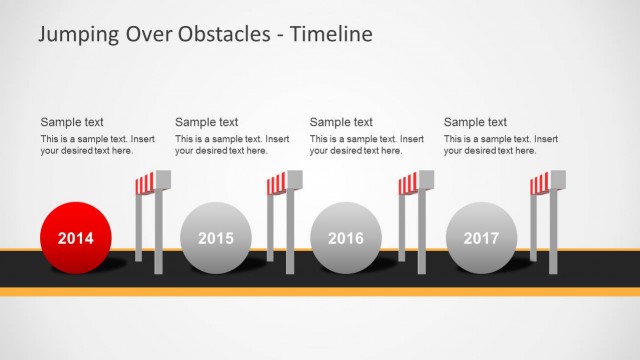
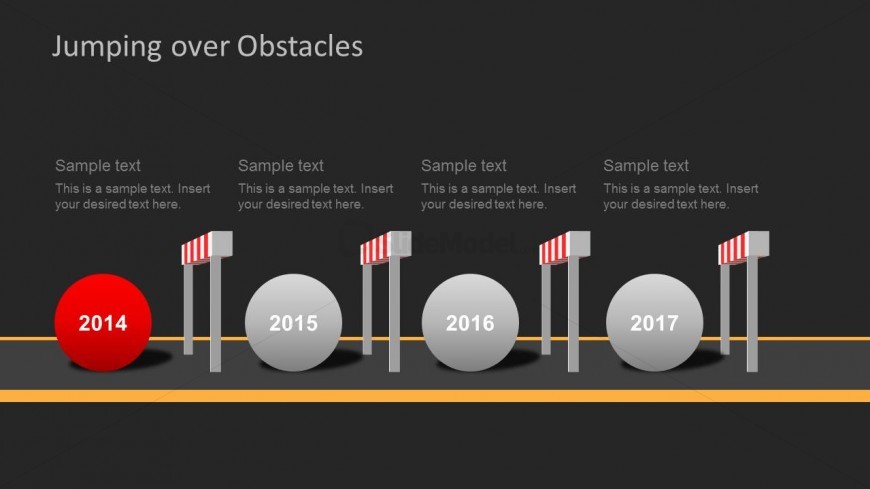
The slide features a horizontal timeline layout against a dark background. On the left, a red circle represents the year 2014, followed by three gray circles for the years 2015, 2016, and 2017. Each year has an associated vertical barrier icon with red and white stripes, positioned above the circles. Text placeholders are aligned above each barrier and below the year labels, indicating where custom text can be inserted. The overall composition is linear, emphasizing progression through the years with a clear visual hierarchy.
How to Use It
This layout serves as a timeline to illustrate progress over multiple years, making it suitable for presentations on project milestones or achievements. It fits within a narrative that discusses overcoming challenges or obstacles over time. This structure is effective for business scenarios, such as tracking project developments, annual reviews, or strategic planning sessions. The timeline format allows for a clear visual representation of progress and barriers faced during specific years.
Text Placeholders & Capacity
Keep your copy within these limits so it fits without resizing. Node labels can hold about 2 words each, while body text is tighter at roughly 10 words each.
| Placeholder | Count | Max characters (approx.) |
|---|---|---|
| Slide title | 1 | 30 |
| Item heading | 4 | 10 |
| Item body | 4 | 50 |
Slide Keywords
Download unlimited PowerPoint templates, charts and graphics for your presentations with our annual plan.
DOWNLOADReturn to Jumping Over Obstacles PowerPoint Template.