Wrap up your presentation and share contact details or next steps in the executive meetings with our Human Thank You Slide PowerPoint Template. In client sessions, you can discuss next steps by sharing contact details at the end of your project proposals, strategic alliance meetings, or investor pitch decks. Users can repurpose the template for welcome slides or other messages. This thank you slide can be used by project managers at the end of their team meetings. This human thank you slide is also compatible with Google Slides.
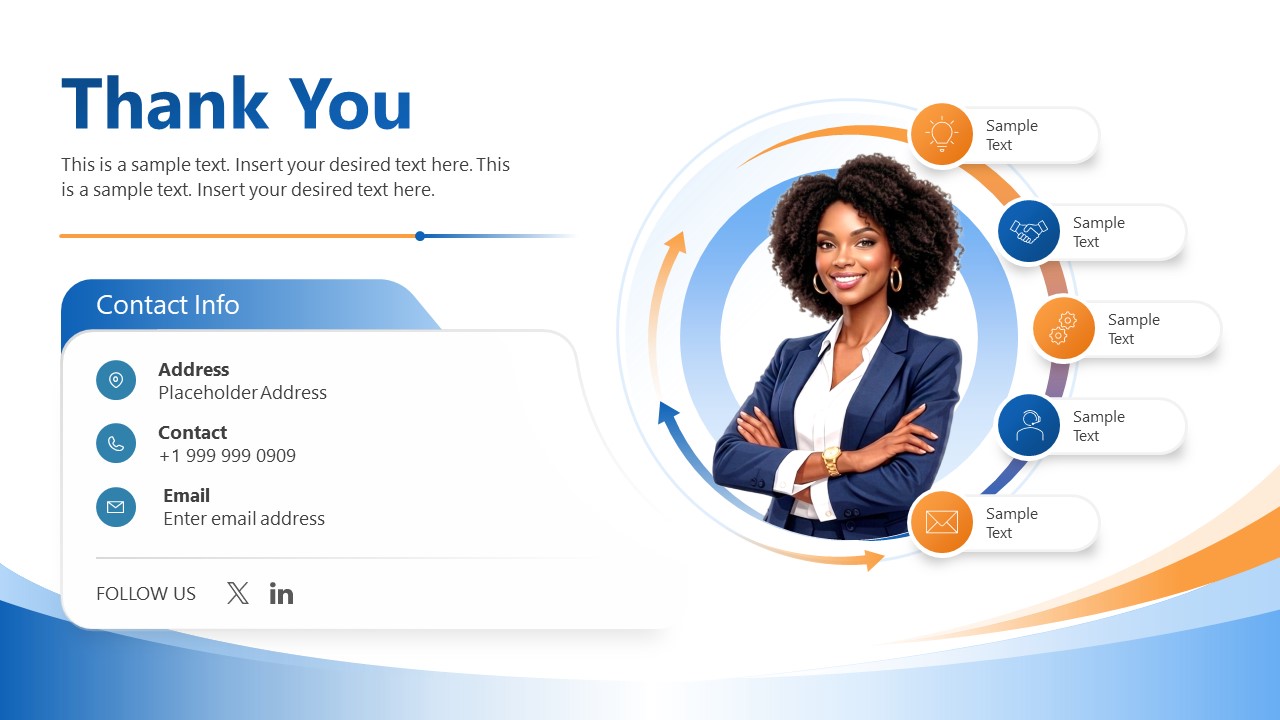
Our editable acknowledgment PPT template features a single slide with the thank-you message at the top left and a placeholder for a description below. There is a contact details block on the left where you can display address, contact number, and email address. At the end, you can showcase the social media handles. In addition, there is a human vector image of a smiling woman, with circular arrows behind it. Over the circular arrow figure, you can edit the five buttons with infographics to display next steps, conclusion, summary, or any other point. The overall color scheme of the template slide is blue and orange. The bottom of the diagram also shows colorful curved patterns that make the presentation more impactful. In addition, users can modify the colors, shapes, icons, or arrangement to match the layout to their specific theme requirements.
Download the Human Thank You Slide Template or check other versions to conclude your presentations effectively. Grab the design today!
What’s inside this template
Example presentation scenarios
- A project manager can end a team update by thanking participants, showing the contact card, and using the five icon callouts to list immediate next actions.
- A consultant can close a client proposal by placing email, phone, and address in the contact block while using the circular callouts to recap key service areas.
- A founder can finish an investor pitch by pairing the thank-you heading with contact details and a short set of follow-up points around the human illustration.
- A sales presenter can close a discovery session by using the left contact card for outreach details and the right icon labels for next meeting steps.
Features
- 100% editable presentation template
- Compatible with Microsoft PowerPoint
- 16:9 aspect ratio slides
- Scalable vector shapes, icons and illustrations
- AI-Ready for Microsoft Copilot and Claude
- Instant access and download
Frequently asked questions
Q: How should a presenter use this closing slide without overcrowding the final message?
A: Keep the thank-you heading and short description focused on one closing idea: appreciation plus the next action. Use the contact card for essential follow-up details only, then reserve the five circular icon callouts for brief labels such as schedule, proposal, demo, approval, or email. This keeps the audience clear on what happens next.
Q: Who is this thank-you slide best suited for?
A: This slide fits presenters who need a polished final screen after a meeting, proposal, pitch, or update. Consultants, project managers, founders, and sales teams can use the contact card to make follow-up simple while the human illustration adds a more personal ending than a plain logo or text-only close.
Q: Why does the human figure with circular callouts work as a closing layout?
A: The smiling person creates an approachable focal point, while the circular arrows suggest continuity after the presentation ends. The five icon callouts sit near that focal point, so closing actions feel connected to the presenter or organization. The left contact card balances the visual by giving the audience clear, practical follow-up information.

Human Thank You Slide PowerPoint Template
1-slide PowerPoint presentation template with thank-you close, contact block, and circular icon callouts
This is a 1-slide Microsoft PowerPoint closing template for ending a presentation with a thank-you message, contact information, and next-step callouts. The slide combines a large thank-you heading, editable contact card, social icons, human portrait illustration, and circular five-icon process around the presenter image.
- Category
- Multi-purpose
- Rating

 Loading...
- Aspect ratio
- 16:9
- Item ID
- 23588-01
- Colors
 Microsoft PowerPoint
  Microsoft Copilot
  Claude for PowerPoint
 Other formats supported
Subscribe today and get immediate
access to download our PowerPoint templates.