Slide 4 of 31 from Go-To-Market PowerPoint Template
Sales and Marketing Graph PowerPoint
Sales and Marketing Efforts Diagram for Presentations
- Diagram
- Process Flow
- Process Slide
- 16:9
- 100% Editable
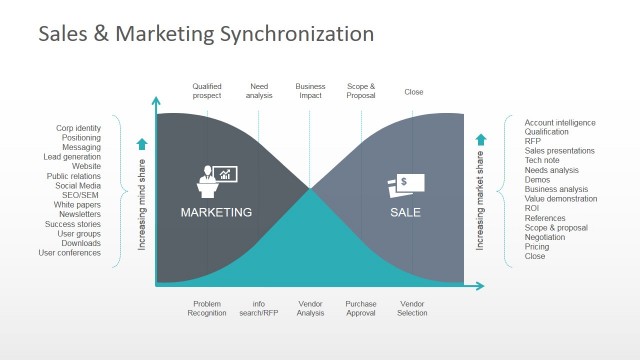
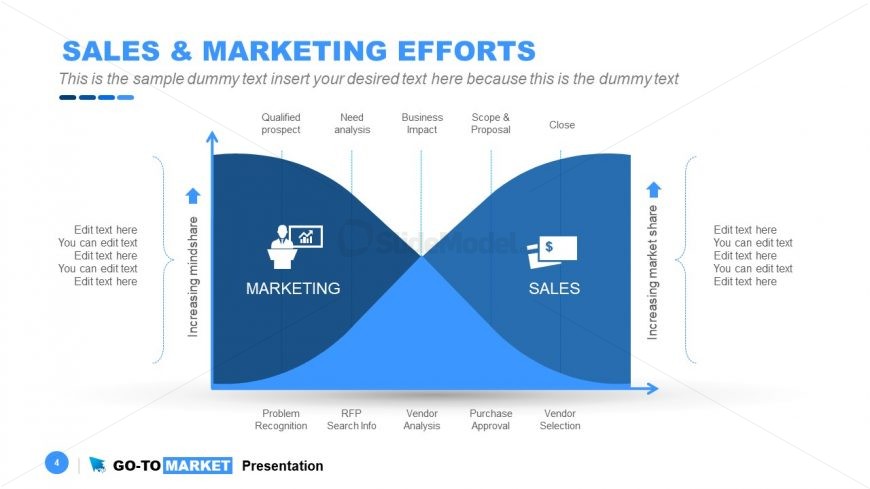
The Sales and Marketing Efforts Diagram slide from the Go-To-Market PowerPoint Template provides a clear process flow visualization that links marketing activities to sales outcomes. This editable slide is ideal for business presentations focused on sales strategies, marketing plans, or product launches, helping teams illustrate the customer journey and key phases in the sales funnel with vector icons and intuitive layout.
What’s on This Slide
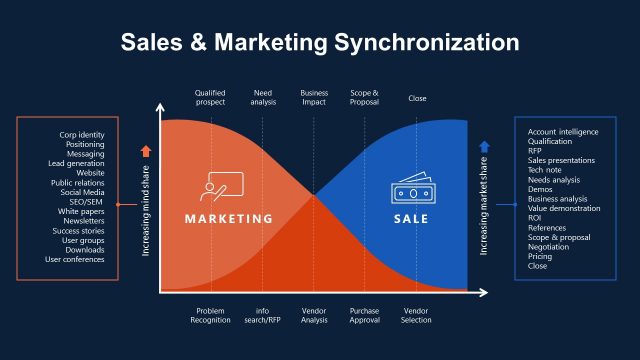
The layout features a curved diagram divided into two sections for marketing and sales. The left section is labeled 'MARKETING' and the right section is labeled 'SALES', both with upward arrows indicating increasing metrics. Text placeholders are positioned along the top and bottom, with specific labels like 'Qualified prospect' and 'Vendor Selection'. Icons representing a person and a dollar sign are included within the respective sections. The overall color scheme is blue, with a light background enhancing visibility. The diagram's flow suggests a process from marketing efforts to sales outcomes.
How to Use It
This layout serves as a process flow diagram, illustrating the relationship between sales and marketing efforts. It fits well in presentations discussing sales strategies, marketing plans, or product launches. This structure is useful for business scenarios where teams need to visualize the sales funnel or marketing impact on sales. It can be used to demonstrate sequential steps in a customer journey or to highlight key phases in a sales process, making it effective for training or strategic planning discussions.
Text Placeholders & Capacity
Keep your copy within these limits so it fits without resizing. Node labels can accommodate around 20 characters each, while body paragraphs fit roughly 50 characters.
| Placeholder | Count | Max characters (approx.) |
|---|---|---|
| Slide title | 1 | 30 |
| Item heading | 5 | 20 |
| Body paragraph | 4 | 50 |
Slide Keywords
Download unlimited PowerPoint templates, charts and graphics for your presentations with our annual plan.
DOWNLOADReturn to Go-To-Market PowerPoint Template.