Slide 2 of 10 from Global Network Diagram for PowerPoint
Global Network with Avatar Illustration Slide Design
User Connectivity Diagram for Presentations
- Diagram
- Network Graph
- Process Slide
- 16:9
- 100% Editable
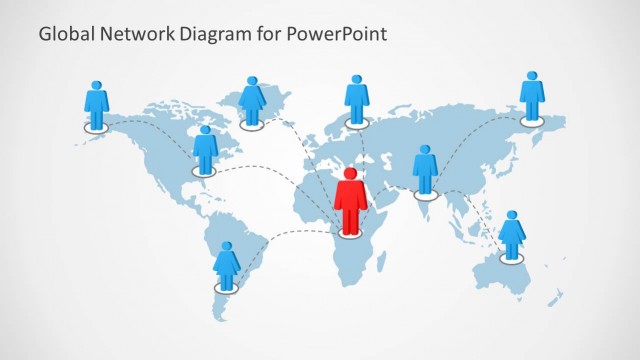
The User Connectivity Diagram slide from the Global Network Diagram for PowerPoint template visually represents team dynamics and user roles through a network graph. This slide layout uses editable shapes and vector icons to illustrate connections among individuals, making it suitable for business presentations focused on collaboration and organizational structures. It integrates seamlessly into slide decks that require clear depiction of network relationships within corporate presentations or pitch decks.
What’s on This Slide
The layout features a central red figure surrounded by eight blue figures, each connected by dashed lines. The figures are evenly spaced, creating a network-like structure. Text placeholders are positioned below each figure, aligned centrally, indicating where descriptive content can be added. The overall background is light gray, enhancing the visibility of the figures and connections. The visual hierarchy emphasizes the central figure, indicating a focal point in the network. The layout is structured to convey connections among users effectively.
How to Use It
This layout serves as a user connectivity diagram, illustrating relationships among individuals in a network. It fits well in presentations discussing collaboration, team dynamics, or network structures. This slide can be used in business contexts such as team introductions, project roles, or organizational structures. It is particularly useful for demonstrating how individuals interact within a system, making it ideal for IT, cloud, or networking discussions.
Text Placeholders & Capacity
Keep your copy within these limits so it fits without resizing. Node text slots can hold roughly 10 words each.
| Placeholder | Count | Max characters (approx.) |
|---|---|---|
| Item body | 8 | 50 |
Slide Keywords
Download unlimited PowerPoint templates, charts and graphics for your presentations with our annual plan.
DOWNLOADReturn to Global Network Diagram for PowerPoint.