Slide 2 of 3 from Genealogy Tree Diagram for PowerPoint
Genealogy Slide Design Template for PowerPoint
Genealogy Tree Diagram for Family History
- Diagram
- Tree Hierarchy
- Context Slide
- 16:9
- 100% Editable
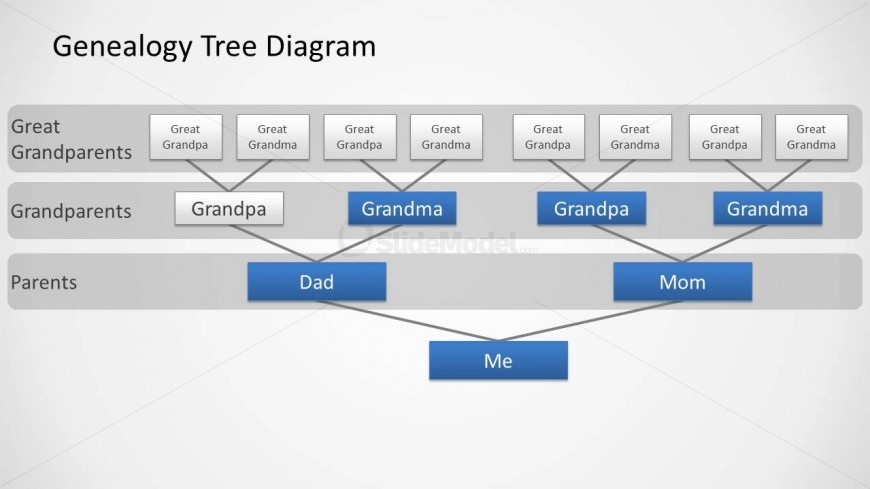
The Genealogy Tree Diagram slide from the Genealogy Tree Diagram for PowerPoint template provides a clear hierarchical layout ideal for family history presentations. This slide template uses editable shapes to visually represent ancestral relationships from great grandparents to the individual, making it suitable for genealogy education and ancestry discussions within a business presentation or slide deck.
About This Slide
Family tree slide design for PowerPoint presentations with four level hierarchy diagram.
What’s on This Slide
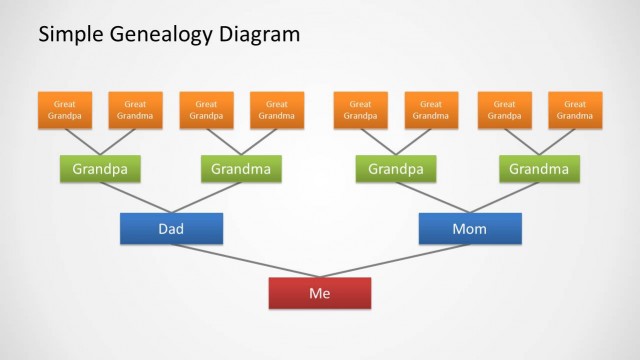
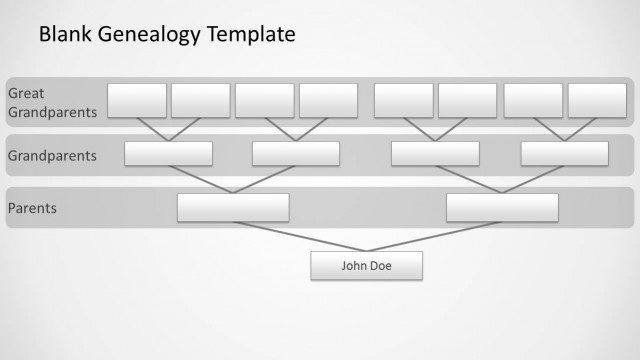
The slide features a genealogy tree diagram with a top-down layout. At the top, there are two rows labeled 'Great Grandparents' containing four boxes each, representing individual ancestors. Below, the 'Grandparents' row includes two boxes, one for 'Grandpa' and another for 'Grandma,' connected by lines to the next row. The 'Parents' row displays 'Dad' and 'Mom,' leading down to the final box labeled 'Me.' Each box is rectangular with a blue background, and the text is centered. The overall composition is structured and clear, emphasizing family lineage.
How to Use It
This layout serves as a family tree diagram, illustrating generational relationships. It fits within a presentation discussing family history or genealogy, effectively showing lineage from great grandparents to the individual. This structure is useful for educational purposes, ancestry presentations, or family reunions. It allows viewers to easily trace familial connections and understand generational ties. The layout can also be adapted for various contexts where hierarchical relationships are important, such as organizational charts or decision trees.
Text Placeholders & Capacity
Keep your copy within these limits so it fits without resizing. Node labels can accommodate roughly 2-3 words each.
| Placeholder | Count | Max characters (approx.) |
|---|---|---|
| Slide title | 1 | 30 |
| Item heading | 8 | 15 |
Slide Keywords
Download unlimited PowerPoint templates, charts and graphics for your presentations with our annual plan.
DOWNLOADReturn to Genealogy Tree Diagram for PowerPoint.