Slide 9 of 11 from Financial Report PowerPoint Template
Year Over Year Comparison Slide – Financial Report PPT Layout
Year-over-Year Comparison Slide for Financial Reports
- Table
- Comparison Table
- Evaluation Slide
- 16:9
- 100% Editable
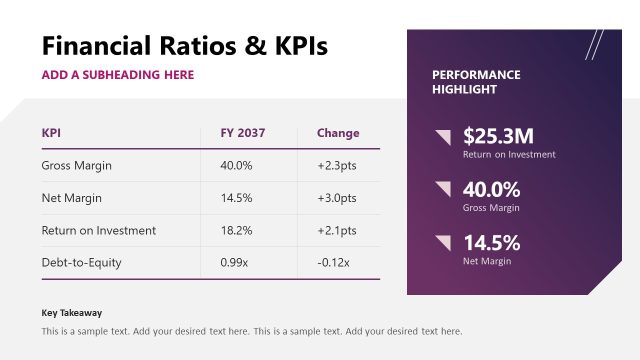
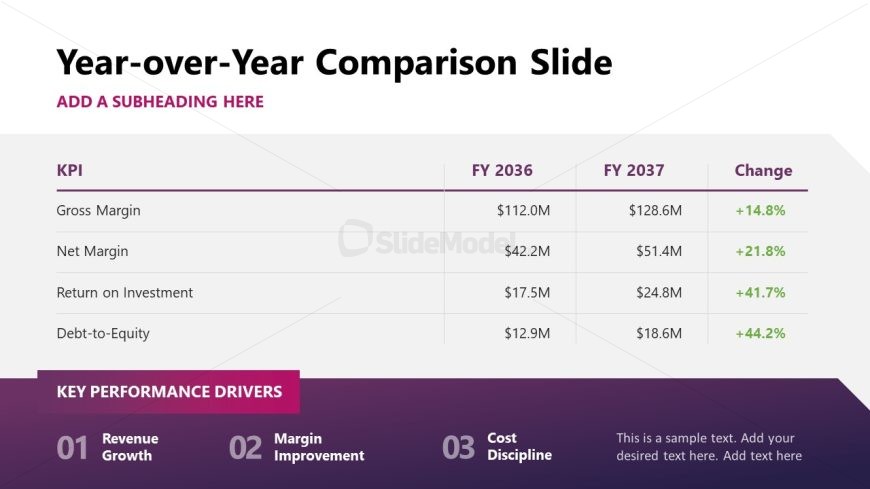
The Year-over-Year Comparison Slide from the Financial Report PowerPoint Template offers a clear layout for analyzing financial performance and KPIs. This slide template includes a structured table for comparing annual data and highlighting key performance drivers, making it suitable for business presentations and corporate slide decks focused on financial analysis. Its editable shapes and vector icons help customize the presentation templates for detailed annual report summaries or investor pitch decks.
What’s on This Slide
The layout features a title at the top center, with a subtitle placeholder directly below it. Below the subtitle, there is a table aligned centrally, containing four columns labeled KPI, FY 2036, FY 2037, and Change. Each row lists key performance indicators with corresponding financial figures and percentage changes. The table has a distinct header row and alternating row colors for clarity. At the bottom, there is a section labeled 'Key Performance Drivers' with three numbered items. The overall color scheme includes a gradient background transitioning from purple to white.
How to Use It
This layout serves as a year-over-year comparison for financial metrics, ideal for presenting KPIs in a financial report. It fits well after a financial overview slide, allowing for detailed analysis of performance changes over time. This structure is useful in business scenarios such as quarterly reviews, annual reports, or investor presentations, where clear financial comparisons are necessary to inform stakeholders about growth and performance trends.
Text Placeholders & Capacity
Keep your copy within these limits so it fits without resizing. Body slots can hold roughly 2-3 words each.
| Placeholder | Count | Max characters (approx.) |
|---|---|---|
| Slide title | 1 | 30 |
| Subtitle | 1 | 40 |
| Item heading | 4 | 20 |
| Item body | 4 | 15 |
| Item body | 4 | 15 |
| Item body | 4 | 15 |
| Item body | 4 | 15 |
| Callout | 3 | 25 |
Slide Keywords
Download unlimited PowerPoint templates, charts and graphics for your presentations with our annual plan.
DOWNLOADReturn to Financial Report PowerPoint Template.