Slide 6 of 14 from Field Service Management PowerPoint Templates
Technician Journey Overview Slide for PowerPoint
Technician Journey Process Overview
- Diagram
- Process Flow
- Process Slide
- 16:9
- 100% Editable
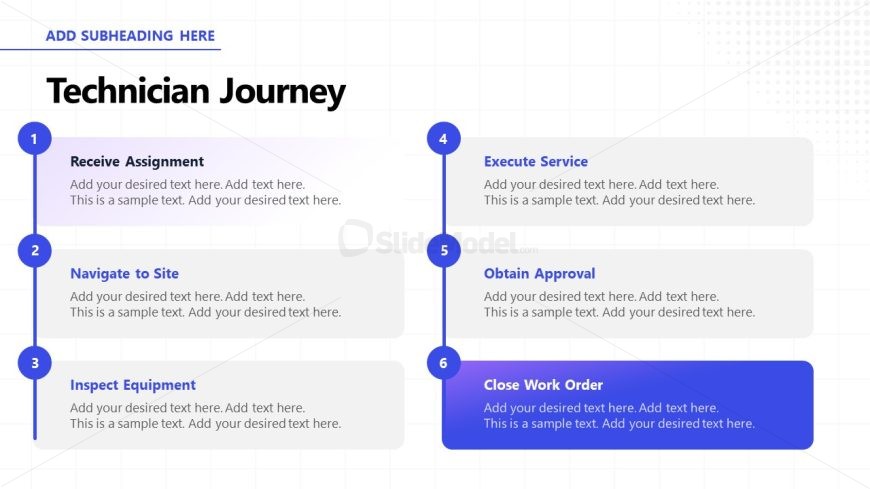
The Technician Journey slide from the Field Service Management PowerPoint Templates offers a clear vertical process flow ideal for illustrating workflows and service management steps. This slide layout uses editable shapes and vector icons to visually guide viewers through sequential tasks, making it suitable for business presentations and training materials that require detailed process explanations.
What’s on This Slide
The layout features a vertical process flow with six steps. Each step is represented by a circular node on the left, connected by a vertical line. The nodes are colored blue and vary in size, indicating hierarchy. Text placeholders are aligned to the right of each node, providing space for detailed descriptions. The title is prominently displayed at the top center, with a subtitle placeholder above it. The background is a light grid pattern, enhancing readability. The overall composition is structured and clear, guiding the viewer through the technician's journey.
How to Use It
This layout serves as a process flow diagram, detailing the steps in a technician's journey. It is suitable for presentations focused on service management, illustrating sequential tasks or workflows. This slide fits well after problem framing slides, providing a clear roadmap of actions. It is applicable in training sessions, operational reviews, or project planning contexts, where understanding the sequence of tasks is crucial for effective communication.
Text Placeholders & Capacity
Keep your copy within these limits so it fits without resizing. Node body slots can hold about 20 words each.
| Placeholder | Count | Max characters (approx.) |
|---|---|---|
| Slide title | 1 | 30 |
| Subtitle | 1 | 50 |
| Item heading | 6 | 30 |
| Item body | 6 | 100 |
Slide Keywords
Download unlimited PowerPoint templates, charts and graphics for your presentations with our annual plan.
DOWNLOAD