The Diabetes PowerPoint Template is a special presentation theme for medical professionals. The individuals who are directly and indirectly involve in treatment of diabetes can use this template. This PowerPoint can assist users in demonstrating symptoms, causes, medical issues, and trends for the disease. This template provides a wide range of shapes, clipart icons, and infographics relevant to diabetes topics. These include label diagrams, comparison tables, timeline scale, dashboard, and statistical analysis. Further, individual working in a medical field as doctors, research scientists, pharmacists etc. often present healthcare related topics in public. because the use of graphical content assists users to elaborate their discoveries about diabetes.
The Diabetes PowerPoint Template has 13 slides of high-quality vector graphics. This is a presentation tool to discuss diabetes and related topics in ways that are most appealing to the audience. Such as shapes and graphics demonstrating a body diagram, test device, and data charts. Furthermore, the diabetes PowerPoint presentation is a structured set of slides for medical details of a term or disease. The sequence is as follow:
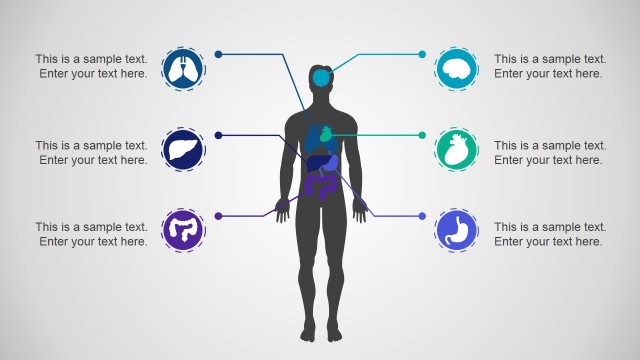
- 10 early signs of diabetes – Human silhouette label diagram
- Causes – 6 segment infographic bullet list format
- Types of diabetes – 3 comparison tables
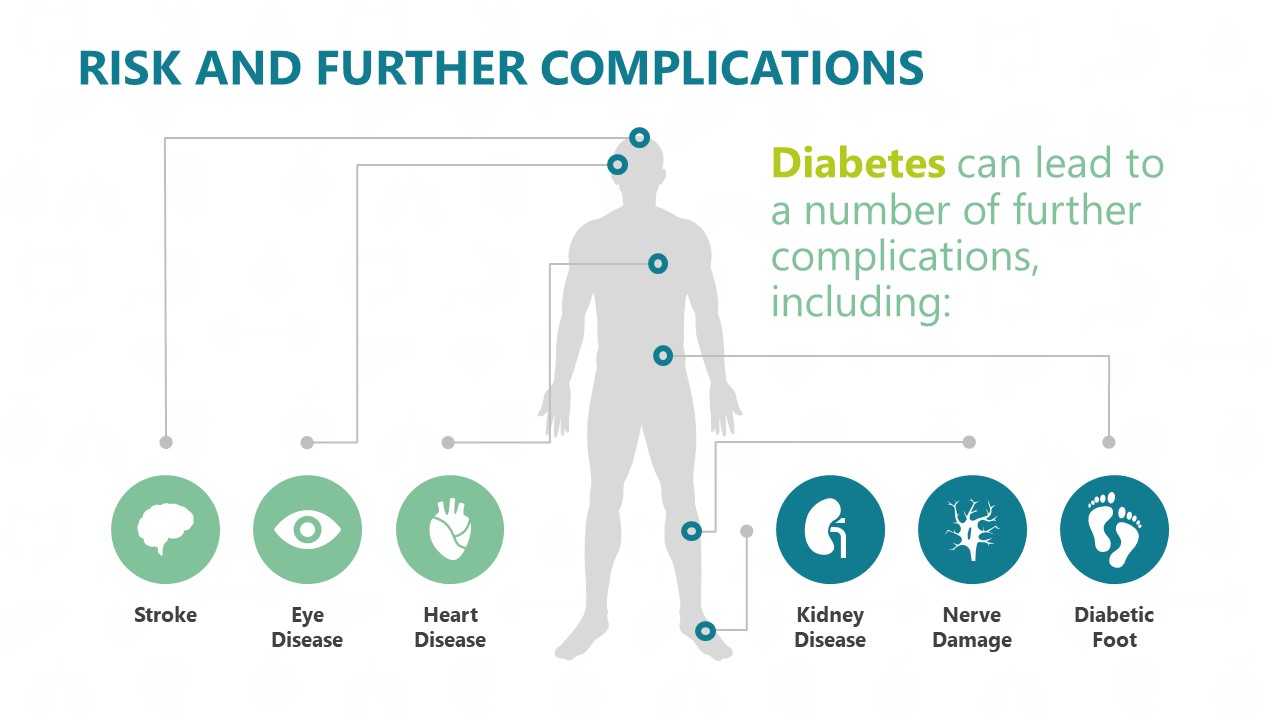
- Risk and further complications – Label diagram
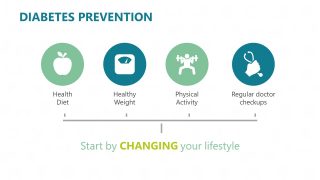
- Diabetes prevention – Horizontal hierarchy structure
- Smart food swap can help prevent type 2 diabetes – graphic comparison table
- Diabetes blood test – Two content clipart and text segments slide
- Text collage health and diabetes terms
- TRACK – Bullet list design of diabetes control options
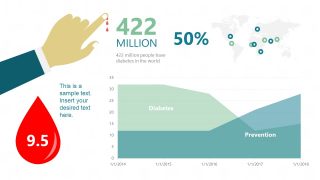
- Diabetes infographics – dashboard style quick facts slide
- lastly, Worldwide statistics of diabetes – data driven area chart and map
This is an editable PowerPoint medical design to effectively convey the useful information. The users can change color theme or image background of diabetes PowerPoint. Moreover, replace it with their company, hospital or business patterns.
Alternatively, you can download the Diabetes presentation template with additional diabetes slides, and compatible with PowerPoint & Google Slides presentations.
What’s inside this template
Example presentation scenarios
- A diabetes educator can use the symptom label diagram and prevention timeline to guide patients through warning signs, lifestyle changes, and follow-up behaviors.
- A doctor or nurse can present the blood test slide and type comparison table to explain screening results and clarify differences between type 1, type 2, and gestational diabetes.
- A public health presenter can use the infographic dashboard and worldwide statistics slide to summarize population-level risk and support an awareness campaign.
- A medical trainer can use the causes grid, complication diagram, and TRACK management slide to teach staff how to discuss diabetes care in plain language.
Features
- 100% editable presentation template
- Compatible with Microsoft PowerPoint and Google Slides
- 16:9 aspect ratio slides
- Scalable vector shapes, icons and illustrations
- AI-Ready for Microsoft Copilot and Claude
- Instant access and download
Frequently asked questions
Q: How should a presenter organize a diabetes education talk with this template?
A: Start with the early signs body diagram so the audience recognizes symptoms before hearing technical details. Move into causes, types, and complications to build context. Then shift to prevention, food swaps, blood testing, and TRACK habits so the talk ends with practical actions instead of only disease facts.
Q: Who is the best audience for this diabetes presentation?
A: This template works best for patient education, community awareness, staff training, or introductory medical briefings. The visuals are clear enough for non-specialists but structured enough for healthcare presenters. Doctors, nurses, pharmacists, diabetes educators, and public health teams can use the comparison cards, testing slide, and prevention steps to explain care decisions.
Q: Why do the body diagrams, device illustrations, and food icons improve the message?
A: Diabetes information can become abstract when it is presented only as text. The body silhouettes tie symptoms and complications to specific places in the body, the glucometer makes testing concrete, and the food swap icons turn prevention into everyday choices. These visual metaphors help audiences remember both risk and action.











Diabetes PowerPoint Template
13-slide medical presentation template with diabetes symptoms, prevention diagrams, and blood test visuals
The Diabetes PowerPoint Template is a 13-slide medical presentation for explaining diabetes education and care topics in Microsoft PowerPoint and Google Slides. It includes a symptom label diagram, causes grid, diabetes type comparison, prevention timeline, food swap table, blood test slide, infographic dashboard, and worldwide statistics area chart with map for healthcare presenters.
- Category
- Template Backgrounds
- Rating


 Loading...
- Aspect ratio
- 16:9
- Item ID
- 7944-01
- Colors
 Microsoft PowerPoint
 Microsoft Copilot
 Claude for PowerPoint
Other formats supported
Subscribe today and get immediate
access to download our PowerPoint templates.