Slide 1 of 8 from Design Thinking Models PowerPoint Template
Design Thinking Circle Diagram Infographics
Design Thinking Process Overview Slide
- Diagram
- Circular Cycle
- Process Slide
- 16:9
- 100% Editable
What’s on This Slide
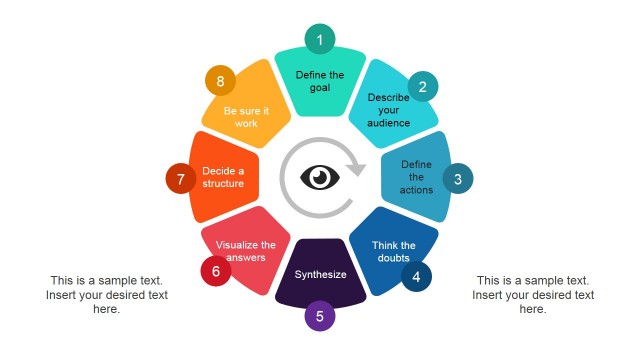
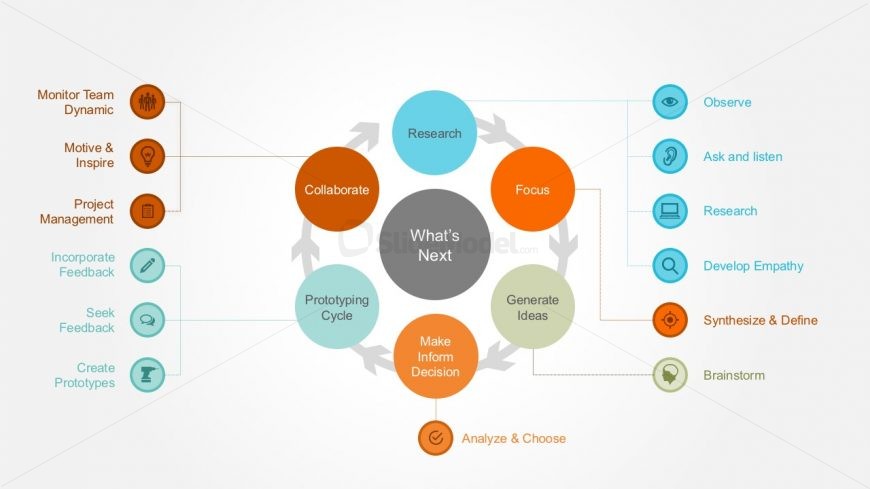
The layout features a central circular node labeled 'What's Next,' surrounded by eight circular nodes representing different stages of the design thinking process. The nodes are arranged in a circular flow, with arrows indicating connections between them. Each node contains a label, such as 'Research' and 'Generate Ideas,' with corresponding icons placed to the right. Text placeholders are present for titles and descriptions, aligned to the left and right of the central node. The background is light with a subtle gradient, enhancing the visual hierarchy.
How to Use It
This layout serves as a visual representation of the design thinking process, illustrating the flow between various stages. It is effective in presentations discussing innovation strategies or customer engagement methods. The slide can be used to introduce the design thinking framework or as a summary of the process. It fits well at the beginning of a presentation to set the context for further discussion or analysis of specific stages in detail.
Text Placeholders & Capacity
Keep your copy within these limits so it fits without resizing. Node labels can hold up to 20 characters each, while the body paragraph can accommodate about 150 characters.
| Placeholder | Count | Max characters (approx.) |
|---|---|---|
| Slide title | 1 | 30 |
| Item heading | 8 | 20 |
| Body paragraph | 1 | 150 |
Slide Keywords
Download unlimited PowerPoint templates, charts and graphics for your presentations with our annual plan.
DOWNLOADReturn to Design Thinking Models PowerPoint Template.