Slide 1 of 8 from Customer Onboarding PowerPoint Template
Customer Onboarding Presentation Slide Deck
Customer Onboarding Presentation Template Slide 1
- Text Layout
- Single Statement
- Context Slide
- 16:9
- 100% Editable
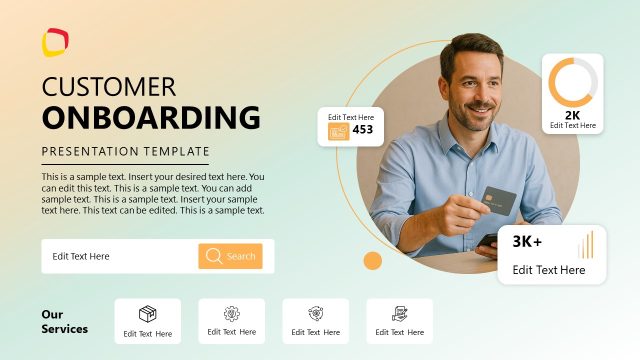
The Customer Onboarding Introduction slide from the Customer Onboarding PowerPoint Template offers a balanced layout ideal for setting context in business presentations. Designed to engage new clients, this slide uses editable shapes and placeholders to highlight customer onboarding processes and product features effectively. It integrates visual elements alongside clear text areas, making it suitable for corporate presentations and pitch deck templates focused on client engagement strategies.
What’s on This Slide
The layout features a left-aligned title in large purple text, stating 'CUSTOMER ONBOARDING', followed by a subtitle in smaller text. On the right, two images of people are positioned side by side, with a circular placeholder below them. The background is predominantly white, with purple shapes accentuating the right side. Text placeholders are present for additional content, with one large placeholder at the bottom left and two smaller ones below the circular placeholder. The overall composition balances text and visuals, creating a clear hierarchy.
How to Use It
This layout serves as an introductory slide for a presentation, suitable for welcoming audiences and setting the stage for customer onboarding topics. It fits at the beginning of a sequence, establishing context and engaging viewers. This structure is ideal for business scenarios such as product launches, client onboarding sessions, or training programs. It can be used to present key information about customer engagement strategies and support resources.
Text Placeholders & Capacity
Keep your copy within these limits so it fits without resizing. Body slots are tight, roughly 15-20 words each.
| Placeholder | Count | Max characters (approx.) |
|---|---|---|
| Slide title | 1 | 30 |
| Subtitle | 1 | 50 |
| Body paragraph | 3 | 100 |
Slide Keywords
Download unlimited PowerPoint templates, charts and graphics for your presentations with our annual plan.
DOWNLOADReturn to Customer Onboarding PowerPoint Template.