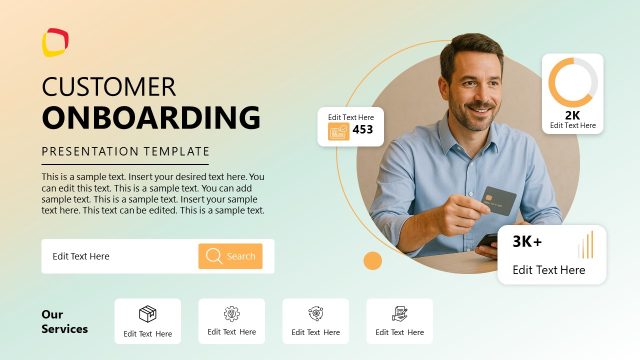
Slide 1 of 13 from Client Onboarding PowerPoint Template
Client Onboarding PPT Template – Cover Slide
Client Onboarding Presentation Template Slide 1
- Text Layout
- Single Statement
- Context Slide
- 16:9
- 100% Editable
The Client Onboarding Introduction slide from the Client Onboarding PowerPoint Template provides a clear and professional opening for business presentations. This slide layout balances bold text and imagery to set the context for onboarding discussions, making it suitable for corporate presentations and pitch deck templates focused on client engagement. Its design supports branding efforts and helps establish a structured flow in editable slides tailored for client onboarding processes.
What’s on This Slide
The layout features a large title on the left, stating 'CLIENT ONBOARDING' in bold black and blue fonts. Below it, there is a subtitle reading 'PRESENTATION TEMPLATE' in smaller black text. To the right, an image shows a business meeting with people seated around a table. A logo placeholder is positioned at the top left, while a circular icon with an upward arrow is located in the top right. The background is a solid blue color, creating a clear visual hierarchy with the text and image elements. The overall composition balances text and imagery effectively.
How to Use It
This layout serves as an introductory slide, ideal for setting the stage for a client onboarding presentation. It fits at the beginning of a sequence, providing context and establishing the topic. It is suitable for scenarios such as introducing a new client relationship, outlining onboarding processes, or presenting service offerings. The layout emphasizes branding and key messaging, making it effective for initial engagement with clients.
Text Placeholders & Capacity
Keep your copy within these limits so it fits without resizing. Title and subtitle slots are spacious, allowing for concise text.
| Placeholder | Count | Max characters (approx.) |
|---|---|---|
| Slide title | 1 | 30 |
| Subtitle | 1 | 25 |
| Footer | 1 | 20 |
Slide Keywords
Download unlimited PowerPoint templates, charts and graphics for your presentations with our annual plan.
DOWNLOADReturn to Client Onboarding PowerPoint Template.