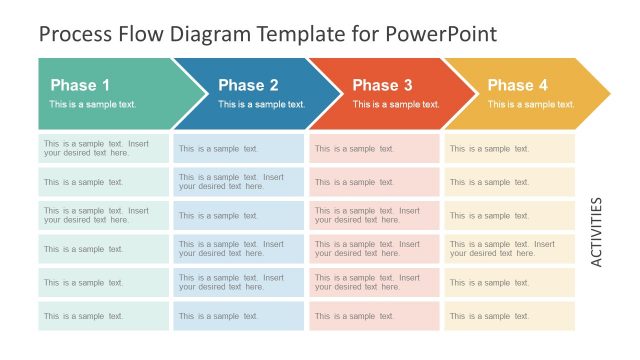
Slide 1 of 2 from Cross-functional Workflow Diagram PowerPoint Template
Cross-functional Workflow Diagram Slide Template
Cross-Functional Workflow Diagram Overview
- Diagram
- Swimlane
- Process Slide
- 16:9
- 100% Editable
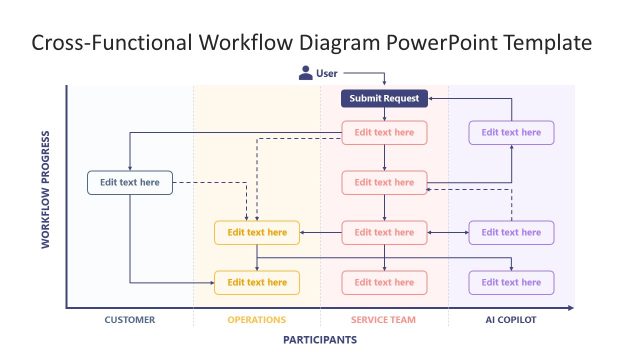
The Cross-Functional Workflow Diagram slide from the Cross-functional Workflow Diagram PowerPoint Template offers a clear swimlane layout to map project phases and team workflows. This slide is ideal for business presentations requiring detailed operational process visualization, featuring editable shapes and vector icons to customize roles and actions across departments effectively.
What’s on This Slide
The slide features a swimlane diagram with a vertical layout. On the left, a column labeled 'WORKFLOW PHASES' contains four phases: Request Initiation, Review & Validation, Processing & Execution, and Resolution & Closure. Each phase has an editable text placeholder. The center section displays a flowchart with a user icon at the top, indicating 'Submit Request.' Below, multiple horizontal arrows connect various editable text boxes representing actions taken by the Customer, Operations, and Service Team. The overall color scheme is light with purple accents.
How to Use It
This layout serves as a process diagram to illustrate workflows across different teams. It is suitable for presentations that detail operational processes or project phases. This slide fits well after a problem-framing slide, providing a visual representation of how tasks are distributed among teams. Use it in business management contexts to clarify roles and responsibilities within a workflow, ensuring clarity in operations management discussions.
Text Placeholders & Capacity
Keep your copy within these limits so it fits without resizing. Node body slots are tight, roughly 6-8 words each.
| Placeholder | Count | Max characters (approx.) |
|---|---|---|
| Item heading | 4 | 30 |
| Item body | 6 | 30 |
| Slide title | 1 | 50 |
Slide Keywords
Download unlimited PowerPoint templates, charts and graphics for your presentations with our annual plan.
DOWNLOADReturn to Cross-functional Workflow Diagram PowerPoint Template.