Slide 2 of 2 from Free Workflow PowerPoint Template
Workflow Slide Template – Black Background
Simple Workflow Diagram for Presentations
- Diagram
- Process Flow
- Process Slide
- 16:9
- 100% Editable
What’s on This Slide
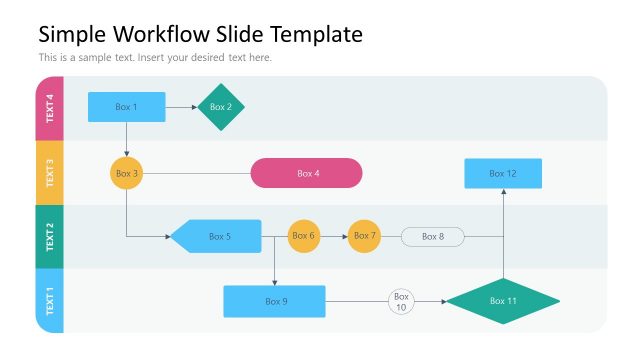
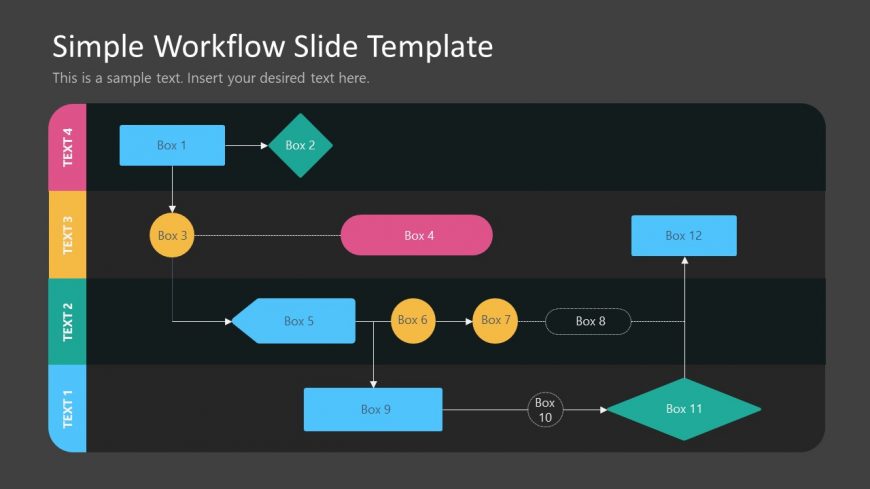
The layout features a flowchart with multiple boxes arranged in a structured manner. At the top, a title and subtitle are centered. Below, there are four horizontal sections, each containing colored boxes. The first section has a pink box labeled 'Box 1' leading to a green diamond labeled 'Box 2.' The second section contains a yellow circle labeled 'Box 3' connecting to a pink box labeled 'Box 4.' The third section features a blue box labeled 'Box 5' leading to two yellow circles labeled 'Box 6' and 'Box 7.' The final section includes a blue box labeled 'Box 12' and a diamond labeled 'Box 11.' Text placeholders are present for each box.
How to Use It
This layout serves as a workflow diagram, illustrating processes or steps in a sequence. It is suitable for presentations that require a clear visual representation of workflows, project timelines, or decision-making processes. This structure is effective in business contexts, such as project management, process optimization, or team collaboration. It fits well after problem identification slides, providing a visual roadmap for solutions. Use this layout to clarify complex processes or to guide audiences through sequential steps in a project or strategy.
Text Placeholders & Capacity
Keep your copy within these limits so it fits without resizing. Node labels can accommodate short phrases, roughly 2-3 words each.
| Placeholder | Count | Max characters (approx.) |
|---|---|---|
| Slide title | 1 | 30 |
| Subtitle | 1 | 50 |
| Item heading | 12 | 10 |
Slide Keywords
Download unlimited PowerPoint templates, charts and graphics for your presentations with our annual plan.
DOWNLOADReturn to Free Workflow PowerPoint Template.