Slide 1 of 7 from Critical Incident Method PowerPoint Template
Critical Incident Method Presentation Template
Critical Incident Method Process Overview
- Diagram
- Arrow Sequence
- Process Slide
- 16:9
- 100% Editable
What’s on This Slide
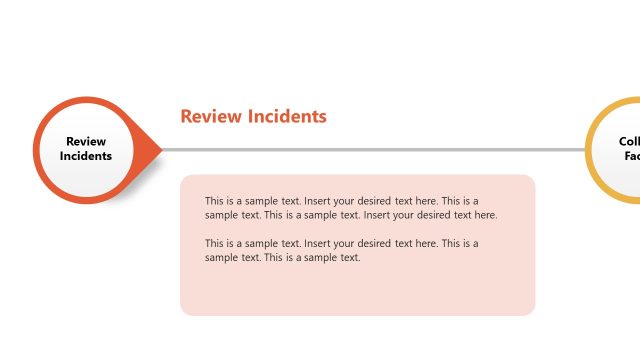
The layout features five circular nodes arranged horizontally, each representing a step in a process. The nodes are labeled 'Review Incidents', 'Collect Facts', 'Analyze Data', 'Determine Outcomes', and 'Evaluate Solution', with arrows connecting them to indicate flow. The nodes vary in color, including red, orange, green, blue, and purple. Below the nodes, there is a text placeholder centered at the bottom, allowing for additional content. The overall composition is clean, with a white background enhancing visibility and focus on the process steps.
How to Use It
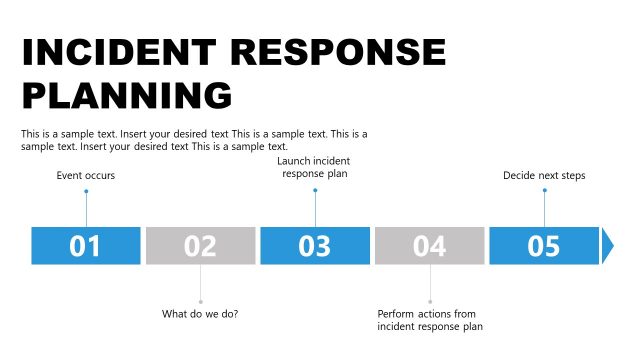
This layout serves as a process flow diagram, effectively illustrating sequential steps in a critical incident method. It fits well at the beginning of a presentation to outline the methodology being discussed. This structure is suitable for training sessions, incident management discussions, or conflict resolution workshops. It can also be used in reports to summarize analytical processes or evaluations related to incidents, providing a clear visual guide for the audience.
Text Placeholders & Capacity
Keep your copy within these limits so it fits without resizing. Body slots can accommodate roughly 25-30 words each.
| Placeholder | Count | Max characters (approx.) |
|---|---|---|
| Slide title | 1 | 40 |
| Body paragraph | 1 | 150 |
Slide Keywords
Download unlimited PowerPoint templates, charts and graphics for your presentations with our annual plan.
DOWNLOADReturn to Critical Incident Method PowerPoint Template.