Slide 7 of 7 from Critical Incident Method PowerPoint Template
Critical Incident Method PowerPoint Slide
Critical Incident Process Flow Diagram
- Diagram
- Arrow Sequence
- Process Slide
- 16:9
- 100% Editable
What’s on This Slide
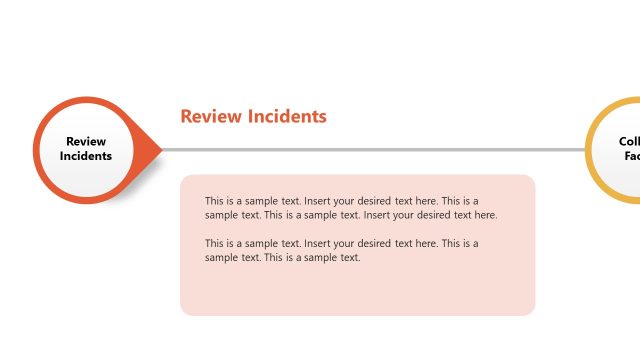
The slide features a horizontal process flow with five circular nodes aligned in a row. Each node represents a step: 'Review Incidents,' 'Collect Facts,' 'Analyze Data,' 'Determine Outcomes,' and 'Evaluate Solution.' The nodes vary in color, transitioning from red to green, with each containing text aligned centrally. A text placeholder is located at the bottom, spanning the width of the slide, allowing for additional content. The overall layout emphasizes a clear, sequential flow from left to right, with arrows connecting each step.
How to Use It
This layout serves as a process flow diagram, effectively illustrating a series of steps in a critical incident method. It is suitable for presentations focused on incident management, conflict resolution, or data analysis. This slide can be used to summarize the stages of a process, making it ideal for training sessions or reports. It fits well at the conclusion of a presentation, reinforcing the steps taken and outcomes achieved.
Text Placeholders & Capacity
Keep your copy within these limits so it fits without resizing. Body slots can hold roughly 25-30 words each.
| Placeholder | Count | Max characters (approx.) |
|---|---|---|
| Slide title | 1 | 50 |
| Item heading | 5 | 30 |
| Body paragraph | 1 | 150 |
Slide Keywords
Download unlimited PowerPoint templates, charts and graphics for your presentations with our annual plan.
DOWNLOADReturn to Critical Incident Method PowerPoint Template.