Slide 4 of 4 from Creative Business Strategy Diagram for PowerPoint
6364-01-creative-business-strategy-4
Creative Business Strategy Diagram Overview
- Diagram
- Matrix Quadrant
- Strategic Analysis Slide
- 16:9
- 100% Editable
What’s on This Slide
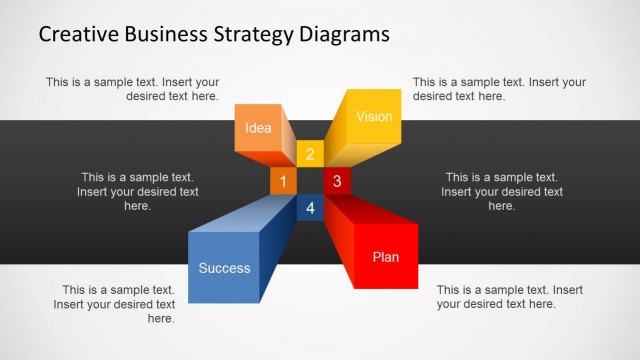
The layout features a central hub with four segments arranged in a star-like pattern. The top segments are labeled 'Idea' and 'Vision,' while the bottom segments are labeled 'Success' and 'Plan.' Each segment is a distinct shape, with the top segments appearing more prominent. Text placeholders are present in each segment, aligned centrally, with additional text placeholders on the right side for expanded explanations. The color scheme includes orange, yellow, and gray, with a light background that enhances visibility. The overall composition emphasizes the central hub concept.
How to Use It
This layout serves as a strategic overview, illustrating key business concepts such as ideas, vision, success, and planning. It is suitable for presentations that require a visual representation of strategic elements in business contexts. This slide fits well within a sequence that discusses business strategy, vision statements, or planning processes. It can be used in meetings, workshops, or reports where clarity of strategic goals is essential.
Text Placeholders & Capacity
Keep your copy within these limits so it fits without resizing. Node labels are tight, roughly 2-3 words each.
| Placeholder | Count | Max characters (approx.) |
|---|---|---|
| Slide title | 1 | 30 |
| Item heading | 4 | 10 |
| Body paragraph | 2 | 50 |
Slide Keywords
Download unlimited PowerPoint templates, charts and graphics for your presentations with our annual plan.
DOWNLOADReturn to Creative Business Strategy Diagram for PowerPoint.