Slide 1 of 4 from Creative Business Strategy Diagram for PowerPoint
6364-01-creative-business-strategy-1
Creative Business Strategy Diagram Overview
- Diagram
- Matrix Quadrant
- Strategic Analysis Slide
- 16:9
- 100% Editable
What’s on This Slide
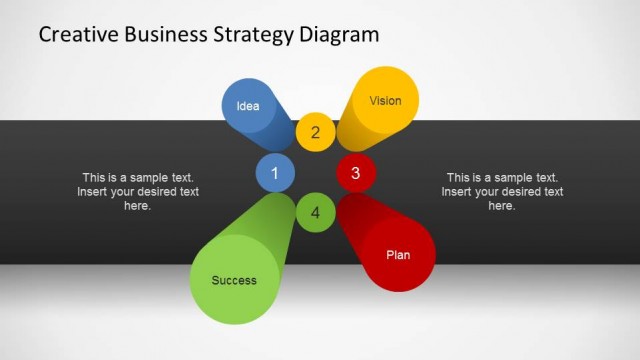
The layout features a central hub with four colored blocks arranged in a cross pattern. The blocks are labeled 'Idea,' 'Vision,' 'Plan,' and 'Success,' positioned at the top, left, right, and bottom respectively. Each block has a placeholder for text, aligned centrally within the shapes. A dark horizontal band runs across the middle, separating the blocks from the title and additional text placeholders at the top and bottom. The background transitions from light to dark, enhancing visual hierarchy and focus on the central elements.
How to Use It
This layout serves as a strategic overview, illustrating key components of a business strategy. It is suitable for presentations that outline concepts such as vision, planning, and success factors. This slide fits well at the beginning of a presentation to introduce strategic ideas or as a summary of strategic elements. It can be used in business meetings, strategy sessions, or planning workshops to facilitate discussions around core business objectives.
Text Placeholders & Capacity
Keep your copy within these limits so it fits without resizing. Node labels can hold about 20 characters each, and body text slots can accommodate around 50 characters.
| Placeholder | Count | Max characters (approx.) |
|---|---|---|
| Slide title | 1 | 40 |
| Item heading | 4 | 20 |
| Body paragraph | 4 | 50 |
Slide Keywords
Download unlimited PowerPoint templates, charts and graphics for your presentations with our annual plan.
DOWNLOADReturn to Creative Business Strategy Diagram for PowerPoint.