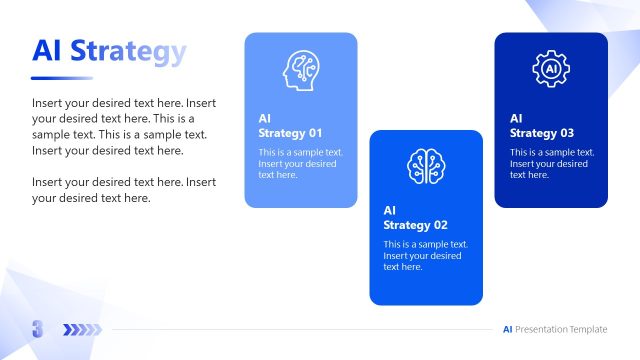
Slide 3 of 15 from Corporate AI Training PowerPoint Template
AI in the Workplace – Corporate AI Training Presentation Layout
AI in the Workplace Slide Overview
- Text Layout
- Bullet List
- Context Slide
- 16:9
- 100% Editable
The AI in the Workplace slide from the Corporate AI Training PowerPoint Template offers a clear layout for presenting key statistics and insights. This slide layout is designed for business presentation contexts, featuring editable shapes and text placeholders that help organize data effectively. It supports corporate presentations and pitch deck templates focused on AI implementation, making it suitable for workshops and training sessions. The balanced design ensures information is communicated with clarity, enhancing the impact of your slide deck.
What’s on This Slide
The layout features a left-aligned title section with a placeholder for the company name at the top. Below, a prominent heading states 'AI IN THE WORKPLACE.' The main body includes multiple text placeholders arranged vertically on the left, with three lines for text entries. On the right, there are three rectangular sections displaying percentage values, each with a corresponding text placeholder below. The sections are visually distinct, with varying background colors: dark blue, light blue, and orange. The overall composition is balanced, with clear visual hierarchy and alignment.
How to Use It
This layout serves as a summary or overview slide, ideal for presenting key statistics or insights related to AI in the workplace. It fits well in a presentation sequence after introductory slides and before detailed discussions. This structure is useful for corporate training sessions, workshops, or meetings focused on AI implementation and its impact on employee engagement and productivity. It can effectively communicate essential data points to support further discussion.
Text Placeholders & Capacity
Keep your copy within these limits so it fits without resizing. Body slots can accommodate roughly 15-20 words each.
| Placeholder | Count | Max characters (approx.) |
|---|---|---|
| Slide title | 1 | 30 |
| Body paragraph | 3 | 100 |
| Item heading | 3 | 10 |
| Item body | 3 | 100 |
Slide Keywords
Download unlimited PowerPoint templates, charts and graphics for your presentations with our annual plan.
DOWNLOADReturn to Corporate AI Training PowerPoint Template.