Slide 3 of 3 from Core Element PowerPoint Template
Editable Core Element PPT Template
Core Element Diagram for Presentations
- Diagram
- Other
- Strategic Analysis Slide
- 16:9
- 100% Editable
What’s on This Slide
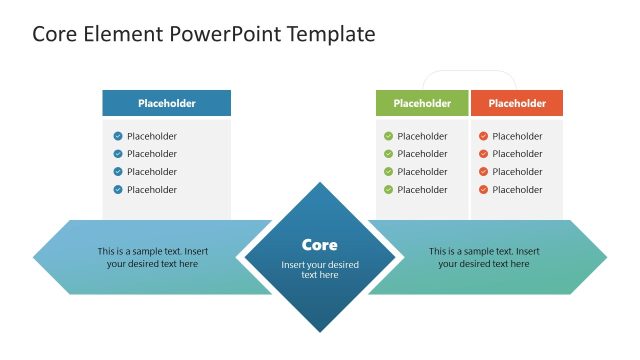
The layout features a central diamond shape labeled 'Core' positioned in the middle. Above the diamond, there are two rectangular placeholders aligned to the left and right, each containing sample text. Below the diamond, two additional rectangular placeholders mirror the upper ones, providing space for further text. The diamond is flanked by two arrow shapes pointing outward, enhancing the flow of information. The overall color scheme includes shades of blue and green, with a clean white background. Text placeholders are centered within their respective shapes.
How to Use It
This layout serves as a core element diagram, ideal for highlighting key points or values in a presentation. It fits well in a sequence following a problem statement or introduction, leading into a deeper discussion of core concepts. Suitable for business contexts, it can effectively present mission statements, strategic goals, or essential values. The design allows for clear visual separation of ideas while maintaining a cohesive flow, making it useful for summarizing critical information.
Text Placeholders & Capacity
Keep your copy within these limits so it fits without resizing. Each text slot can hold about 8-10 words comfortably.
| Placeholder | Count | Max characters (approx.) |
|---|---|---|
| Item body | 4 | 40 |
| Slide title | 1 | 50 |
Slide Keywords
Download unlimited PowerPoint templates, charts and graphics for your presentations with our annual plan.
DOWNLOADReturn to Core Element PowerPoint Template.