Slide 3 of 3 from Convex Curved Arrows PowerPoint Diagram
Convex Curved Arrows Slide PPT Diagram
Convex Curved Arrows Diagram for Presentations
- Diagram
- Circular Cycle
- Process Slide
- 16:9
- 100% Editable
The Convex Curved Arrows Diagram from the Convex Curved Arrows PowerPoint Diagram template offers a clear process visualization ideal for project management and operational workflows. This slide layout features editable shapes and vector icons arranged in a circular flow, enhancing business presentations and pitch deck templates with a professional design that supports seamless communication of sequential stages.
What’s on This Slide
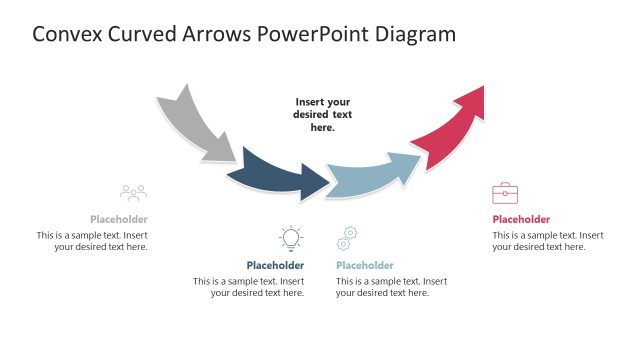
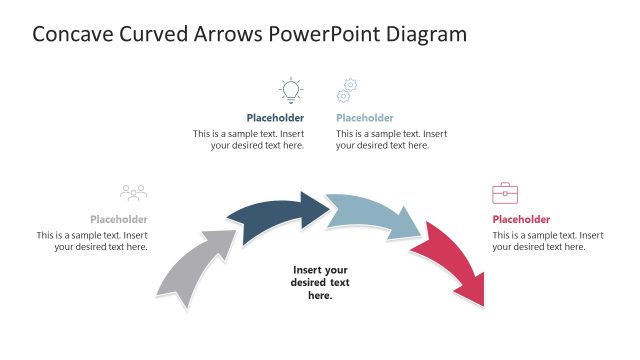
The slide features a circular arrangement of five convex curved arrows, each pointing to the next. The arrows are colored in shades of gray, blue, and red, creating a gradient effect. Each arrow has an associated icon positioned above it, representing different stages or concepts. Text placeholders are located near each arrow, aligned to provide context for the icons. The central area contains a larger text placeholder for the main message. The overall layout is balanced, with a clear visual flow from one arrow to the next.
How to Use It
This layout serves as a process flow diagram, ideal for illustrating sequential stages or steps in a business context. It fits well in presentations discussing project management, operational processes, or strategic planning. The circular design allows for easy understanding of interconnected concepts. It is suitable for both team meetings and client presentations, where clarity in process depiction is essential. The layout can be adapted for various topics by changing the icons and text.
Text Placeholders & Capacity
Keep your copy within these limits so it fits without resizing. Node body slots can hold roughly 15-20 words each.
| Placeholder | Count | Max characters (approx.) |
|---|---|---|
| Item heading | 5 | 40 |
| Item body | 5 | 80 |
| Slide title | 1 | 50 |
Slide Keywords
Download unlimited PowerPoint templates, charts and graphics for your presentations with our annual plan.
DOWNLOADReturn to Convex Curved Arrows PowerPoint Diagram.