Slide 2 of 3 from Concave Curved Arrows PowerPoint Diagram
Customizable Concave Curved Arrows PowerPoint Slide
Concave Curved Arrows PowerPoint Diagram
- Diagram
- Arrow Sequence
- Process Slide
- 16:9
- 100% Editable
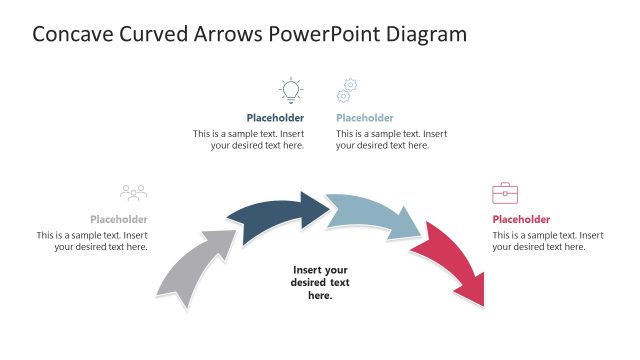
The Concave Curved Arrows Diagram slide from the Concave Curved Arrows PowerPoint Diagram template offers a clear visual for illustrating process flows and project phases. This slide layout uses editable shapes and vector icons arranged in a clockwise sequence, ideal for business presentations and training modules. Its design supports effective communication of workflows within corporate presentations or pitch deck templates, enhancing audience understanding through balanced content distribution and color-coded arrows.
What’s on This Slide
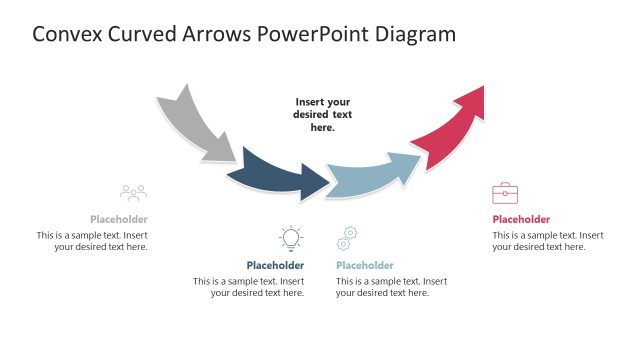
The layout features a central curved arrow diagram with four concave arrows pointing in a clockwise direction. Each arrow is associated with an icon and a text placeholder positioned above it. The icons represent different stages, while the placeholders are aligned centrally beneath each icon. The overall design includes a light background, enhancing clarity. The arrows vary in color, transitioning from dark gray to light blue and red, creating a visual hierarchy. Text placeholders are evenly spaced, allowing for balanced content distribution throughout the slide.
How to Use It
This layout serves as a process flow diagram, ideal for illustrating sequential phases in a business context. It fits well after a problem slide, guiding the audience through proposed solutions or steps. Use it to present workflows, project phases, or training modules. The structure is suitable for presentations in business, consulting, or educational settings, where clarity in progression is essential. It effectively communicates the flow of ideas or actions in a visually engaging manner.
Text Placeholders & Capacity
Keep your copy within these limits so it fits without resizing. Node body slots can hold about 10-12 words each.
| Placeholder | Count | Max characters (approx.) |
|---|---|---|
| Item heading | 4 | 35 |
| Item body | 4 | 50 |
| Slide title | 1 | 50 |
Slide Keywords
Download unlimited PowerPoint templates, charts and graphics for your presentations with our annual plan.
DOWNLOADReturn to Concave Curved Arrows PowerPoint Diagram.