Slide 3 of 3 from Concave Curved Arrows PowerPoint Diagram
Concave Curved Arrows PPT Slide Diagram
Concave Curved Arrows PowerPoint Diagram
- Diagram
- Circular Cycle
- Process Slide
- 16:9
- 100% Editable
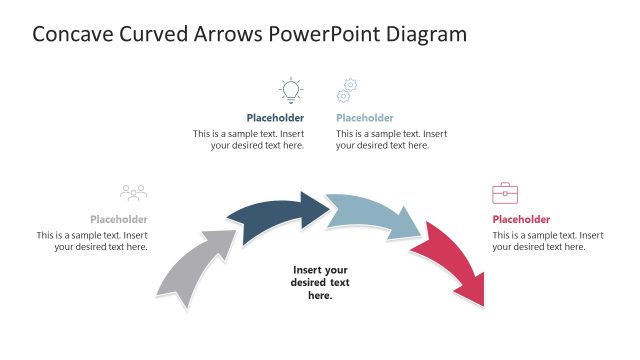
The Concave Curved Arrows Diagram from the Concave Curved Arrows PowerPoint Diagram template offers a clear circular process flow ideal for business presentations. This slide layout uses editable shapes and vector icons to visually represent sequential project phases or training modules, enhancing audience understanding through a structured slide deck. Its design supports continuity and progression, making it a practical choice for corporate presentation templates focused on process illustration.
What’s on This Slide
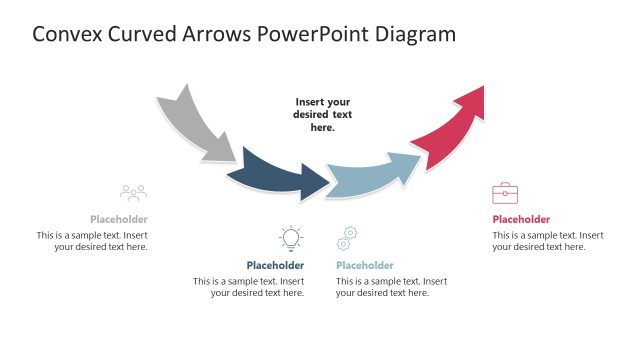
The slide features a circular flow diagram with four concave arrows arranged in a clockwise direction. Each arrow points to a placeholder for text, with icons positioned above some placeholders. The arrows vary in color, including shades of gray, blue, and red, creating a visual hierarchy. The central area contains a larger placeholder for additional text. The background is white, ensuring clarity. The icons include a graph, light bulb, gear, and briefcase, representing different concepts. Text placeholders are aligned centrally beneath the icons.
How to Use It
This layout serves as a process flow diagram, ideal for illustrating sequential steps in a business context. It fits well in presentations discussing project phases, training modules, or strategic planning. The circular arrangement emphasizes continuity and progression, making it suitable for topics that require a clear depiction of stages. Use this slide to guide audiences through a process, ensuring each step is visually distinct and easy to follow.
Text Placeholders & Capacity
Keep your copy within these limits so it fits without resizing. Node body slots can hold about 8 words each, with a title slot for 10 words.
| Placeholder | Count | Max characters (approx.) |
|---|---|---|
| Item body | 4 | 40 |
| Item body | 1 | 40 |
| Slide title | 1 | 50 |
Slide Keywords
Download unlimited PowerPoint templates, charts and graphics for your presentations with our annual plan.
DOWNLOADReturn to Concave Curved Arrows PowerPoint Diagram.