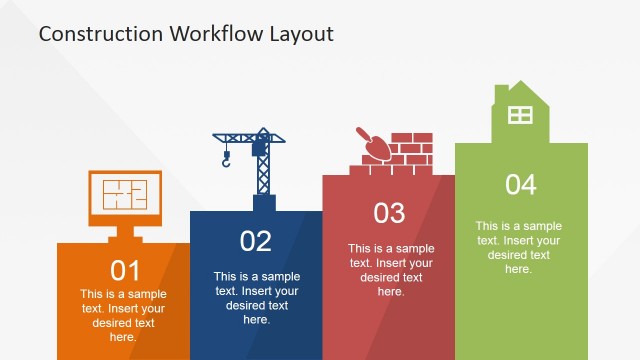
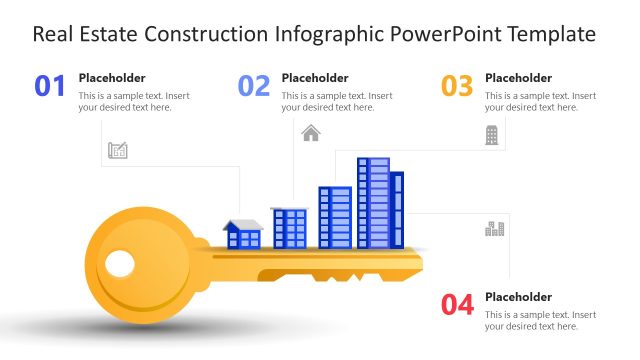
Download and edit our Construction Process PowerPoint Template to discuss the key phases of your construction process, starting from scratch. Construction is a process carried out globally on various levels, and it generally follows similar phases everywhere. We have designed this generalized process diagram for our professionals in construction planning, materials manufacturing, and construction businesses to help them showcase their workflow to clients and stakeholders. The template slide is 100% editable, allowing users to change the background and graphic colors according to their theme, add a logo for personalization, and customize the text boxes to suit their preferences.
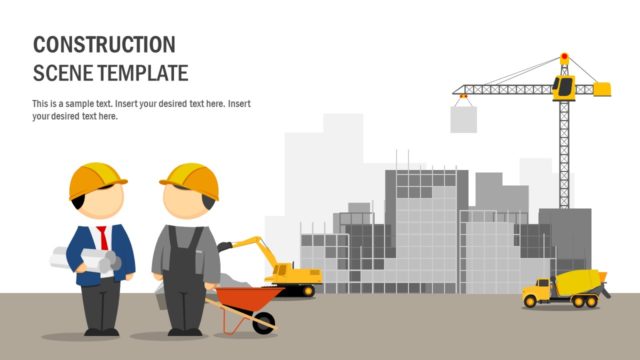
This Construction Process PowerPoint Template is a one-pager template with a three-layer horizontally zig-zag diagram with milestones. The first steps of the process are project initiation (including signing the contract with land owners) and site excavation. These steps are indicated with corresponding diagrams of two engineers and a crane machine digging the ground. Likewise, the other steps mentioned in this diagram are:
- Making foundation (setting up the base of the building with bricks & cement)
- Concrete mixing (mixing up the building raw materials in heavy machines)
- Structural Framing (making the structure of the house with wood & bricks)
- Roofing (adding a strong roof structure to the structure)
- Wall Assembly (constructing walls)
- Exterior Finishes (adjusting outer looks & paints)
- House Sale (selling to the customer)
These steps are accompanied by illustrations and figures, which make this slide more vibrant and appealing to the audience. Text boxes with each of these steps and the titles in bold are provided to mention the associated details. Users can change any setting and personalize this construction process slide template for business and training purposes. Try it now!
Alternatively, you can download other process flow slide templates, ready for Microsoft PowerPoint & Google Slides, with creative designs and styles, or the 100% editable presentation templates.
What’s inside this template
Example presentation scenarios
- A construction project manager can brief a client on the planned building sequence using the zig zag process map and milestone labels to show how work moves from initiation to sale.
- A contractor can align subcontractors during a kickoff meeting by using the phase illustrations for excavation, foundation, concrete mixing, framing, roofing, and wall assembly.
- A construction trainer can introduce new staff to standard project phases by pairing each illustration with a short description in the editable text boxes.
- A materials supplier can explain where products or equipment fit in the workflow by adapting the milestone labels and construction icons to match the procurement conversation.
Features
- 100% editable presentation template
- Compatible with Microsoft PowerPoint and Google Slides
- 16:9 aspect ratio slides
- Scalable vector shapes, icons and illustrations
- AI-Ready for Microsoft Copilot and Claude
- Instant access and download
Frequently asked questions
Q: How should a presenter explain the construction flow without overloading the single slide?
A: Treat the slide as a high-level walkthrough, not a detailed project plan. Start at project initiation, follow the gray zig zag path, and speak to one outcome per milestone. Keep each text box to a short phrase or sentence so the illustrations carry the sequence and the presenter adds detail verbally.
Q: Who benefits most from this construction process layout?
A: This template fits presenters who need a shared understanding of building phases before discussing costs, schedules, or responsibilities. Project managers, contractors, developers, and trainers can use it to orient clients or teams because the visual path shows how early site work connects to structure, finishes, and final sale.
Q: Why does the zig zag path work well for a construction workflow?
A: The zig zag road acts as a visual metaphor for work progressing across stages. It reduces the feeling of a long list by grouping the process into three horizontal passes. The construction illustrations give each milestone a recognizable cue, helping audiences remember phase order even after the slide is gone.


Construction Process PowerPoint Template
1-slide presentation template with a construction process zig zag, milestones, and building phase illustrations
The Construction Process PowerPoint Template is a 1-slide 16:9 process diagram for mapping a building workflow. It shows a horizontal zig zag process map with milestone text boxes, phase icons, and construction illustrations for project initiation, excavation, foundation, concrete mixing, framing, roofing, wall assembly, exterior finishes, and sale. It supports Microsoft PowerPoint and Google Slides.
- Category
- Process Diagrams
- Rating

 Loading...
- Aspect ratio
- 16:9
- Item ID
- 23003-01
 Microsoft PowerPoint
 Microsoft Copilot
 Claude for PowerPoint
Other formats supported
Subscribe today and get immediate
access to download our PowerPoint templates.