Slide 3 of 4 from Components Design Concept for PowerPoint
PowerPoint Component Design Process Presentation
Component Design Idea for PowerPoint
- Text Layout
- List Blocks
- Context Slide
- 16:9
- 100% Editable
What’s on This Slide
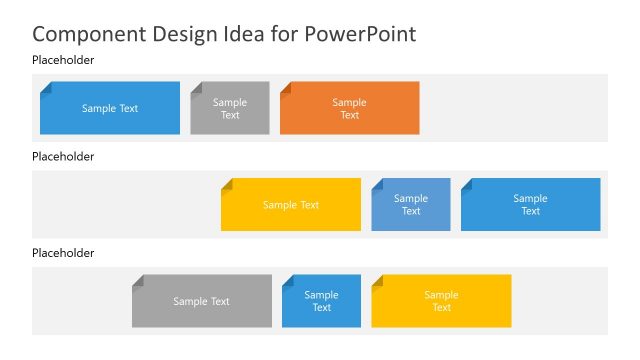
The layout features four rectangular shapes arranged horizontally. The first shape is gray, followed by a blue shape, then a yellow shape, and finally another gray shape. Each shape has a folded corner design, indicating a sticky note style. Text placeholders are centered within each shape, with the title positioned at the top left. The background is light gray, enhancing the visibility of the colored shapes. The shapes vary in size, with the blue shape being the largest, creating a visual hierarchy among the elements.
How to Use It
This layout serves as a visual organizer for presenting ideas or components in a structured manner. It fits well in a presentation sequence after introducing a concept, allowing for detailed elaboration. This design is suitable for brainstorming sessions, project planning, or software architecture discussions where multiple components need to be highlighted. It can be used to compare features or summarize key points effectively.
Text Placeholders & Capacity
Keep your copy within these limits so it fits without resizing. Body slots can hold roughly 2-3 words each.
| Placeholder | Count | Max characters (approx.) |
|---|---|---|
| Slide title | 1 | 30 |
| Body paragraph | 4 | 20 |
Slide Keywords
Download unlimited PowerPoint templates, charts and graphics for your presentations with our annual plan.
DOWNLOADReturn to Components Design Concept for PowerPoint.