Slide 1 of 6 from Cluster Diagram Template for PowerPoint
6052-01-cluster-diagram-1
Cluster Diagram Template Overview
- Diagram
- Other
- Concept Explanation Slide
- 16:9
- 100% Editable
What’s on This Slide
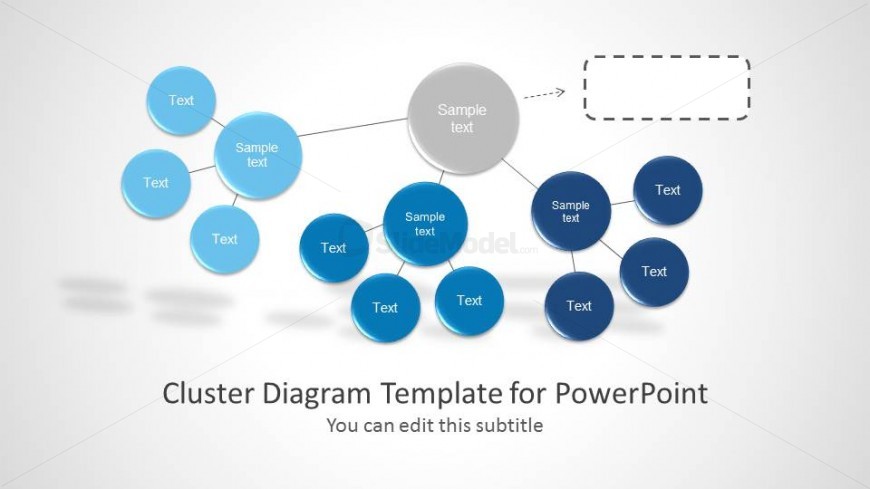
The slide features a central node surrounded by several smaller nodes, arranged in a cluster format. The central node is gray and labeled 'Sample text,' connected to four blue nodes through lines. Each blue node has a text placeholder below it, with a total of six nodes in the layout. There is an empty dashed rectangle on the right for additional text. The background is light, enhancing the visibility of the nodes and text. The visual hierarchy emphasizes the central node as the focal point.
How to Use It
This layout serves as a cluster diagram, ideal for illustrating relationships among various concepts or data points. It fits well in presentations that require visualizing interconnected ideas, such as brainstorming sessions or project planning. This structure is useful in business contexts for data analysis, strategic planning, or presenting complex information in a simplified manner. It can be used effectively to show how different elements relate to a central theme or idea.
Text Placeholders & Capacity
Keep your copy within these limits so it fits without resizing. Node labels can hold about 2-3 words each.
| Placeholder | Count | Max characters (approx.) |
|---|---|---|
| Item heading | 6 | 12 |
| Slide title | 1 | 45 |
| Subtitle | 1 | 45 |
Slide Keywords
Download unlimited PowerPoint templates, charts and graphics for your presentations with our annual plan.
DOWNLOADReturn to Cluster Diagram Template for PowerPoint.