Slide 10 of 13 from Client Onboarding PowerPoint Template
Client Onboarding Template Slide for Document Required Points Slide
Documentation Requirements Overview Slide
- Text Layout
- Other
- Process Slide
- 16:9
- 100% Editable
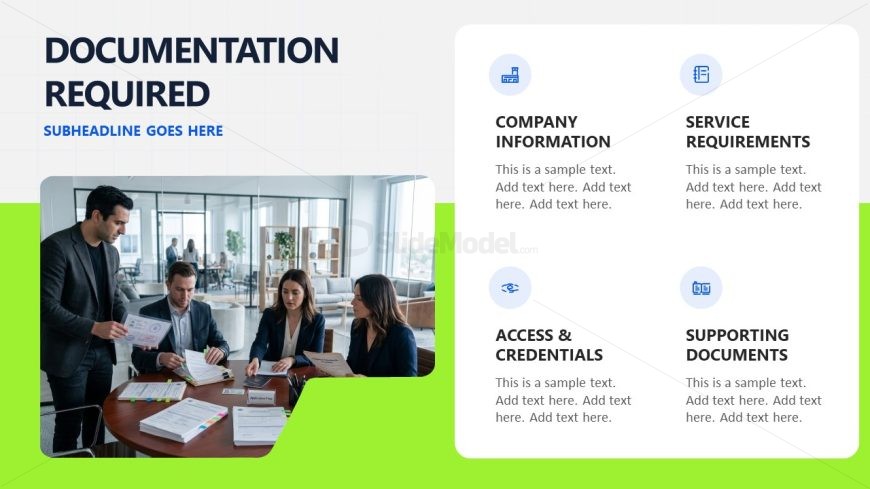
The Documentation Requirements Overview slide from the Client Onboarding PowerPoint Template offers a clear structure for outlining essential client documents. This slide layout integrates editable shapes and vector icons to visually organize information on company details, service prerequisites, access credentials, and supporting materials. Designed for business presentations and pitch deck templates, it facilitates effective communication during client onboarding and project initiation phases.
What’s on This Slide
The layout features a large image on the left side, showing a group of professionals discussing documents. To the right, four distinct sections are arranged vertically, each with a rounded rectangular background. The sections are labeled 'Company Information,' 'Service Requirements,' 'Access & Credentials,' and 'Supporting Documents,' with corresponding icons above each label. Text placeholders are present beneath each label, aligned left, indicating where additional information will be added. The background is a light grid pattern with a green accent on the left side, enhancing visual separation.
How to Use It
This layout serves as a checklist or overview of required documentation for client onboarding. It fits well after introductory slides, providing clarity on necessary documents. This structure is useful in scenarios where businesses need to outline specific requirements for clients, ensuring all necessary information is communicated effectively. It can also serve as a reminder for teams to gather essential documents during the onboarding process.
Text Placeholders & Capacity
Keep your copy within these limits so it fits without resizing. Node body slots can accommodate roughly 15-20 words each.
| Placeholder | Count | Max characters (approx.) |
|---|---|---|
| Slide title | 1 | 30 |
| Subtitle | 1 | 40 |
| Item heading | 4 | 25 |
| Item body | 4 | 100 |
Slide Keywords
Download unlimited PowerPoint templates, charts and graphics for your presentations with our annual plan.
DOWNLOADReturn to Client Onboarding PowerPoint Template.