Slide 12 of 13 from Client Onboarding PowerPoint Template
Client Onboarding Template Slide for Next Steps Discussion
Next Steps Overview for Client Onboarding
- Text Layout
- List Blocks
- Process Slide
- 16:9
- 100% Editable
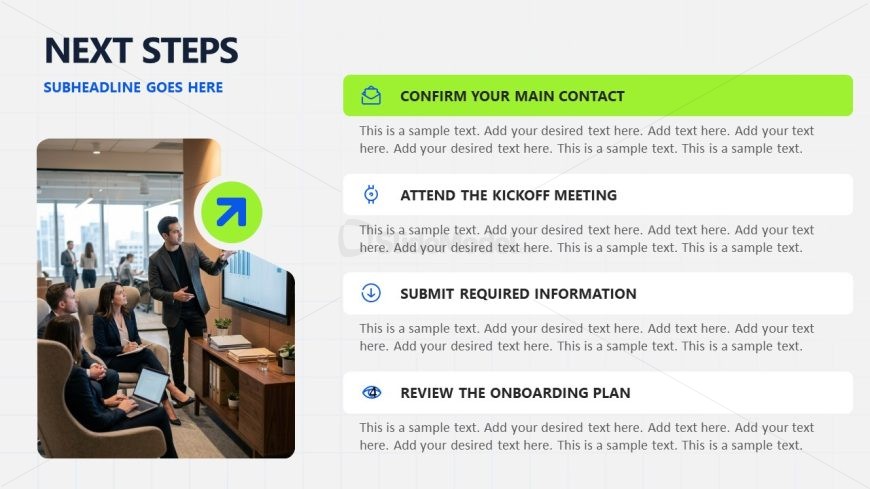
The Next Steps Overview slide from the Client Onboarding PowerPoint Template offers a structured layout ideal for outlining actionable items during project kickoffs. Featuring editable shapes and vector icons alongside a meeting scene image, this slide supports clear communication in business presentations and pitch deck templates by visually organizing process steps and responsibilities.
What’s on This Slide
The layout features a left-aligned image of a meeting scene, showing four individuals engaged in discussion. To the right, there are four distinct sections, each with a colored icon and a corresponding title. The first section is highlighted in green, while the others are in blue and gray. Each section contains a text placeholder for detailed descriptions, aligned centrally beneath the titles. The overall design uses a grid layout with a light background, providing a structured and organized appearance. The visual hierarchy emphasizes the titles and icons prominently.
How to Use It
This layout serves as a checklist for next steps in a client onboarding process. It fits well after a documentation or planning slide, guiding clients through actionable items. Suitable for business meetings, it helps clarify expectations and tasks. This structure can be used to outline project phases, ensuring all stakeholders understand their responsibilities. It is effective in scenarios where clear communication of subsequent actions is essential, such as onboarding, project kickoffs, or client engagement strategies.
Text Placeholders & Capacity
Keep your copy within these limits so it fits without resizing. Node body slots can accommodate about 20 words each.
| Placeholder | Count | Max characters (approx.) |
|---|---|---|
| Slide title | 1 | 30 |
| Subtitle | 1 | 40 |
| Item heading | 4 | 40 |
| Item body | 4 | 120 |
Slide Keywords
Download unlimited PowerPoint templates, charts and graphics for your presentations with our annual plan.
DOWNLOADReturn to Client Onboarding PowerPoint Template.