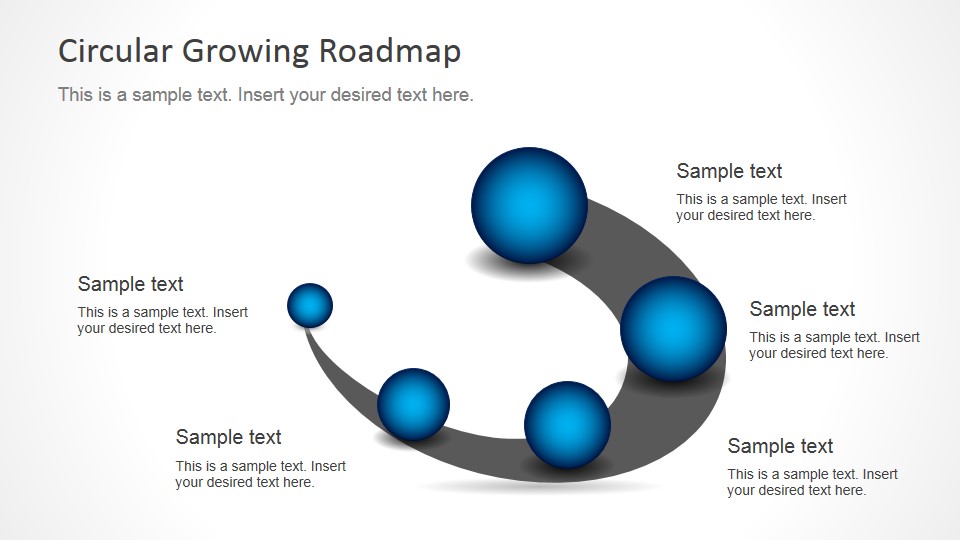
Circular Growing Roadmap PowerPoint Template– a perfect and creative roadmap illustration of progression in five steps. The gradient-filled spheres create an almost 3D feel in the presentation. It is fully professional and contains stunning visuals. Use Circular Growing Roadmap PowerPoint Template to appeal on global audiences.
Roadmaps are timelines displayed as roads in general. They represent the development of events, ideas and activities. It can be considered as a growth chart with no specific application. They display happenings in a chronological manner. The spheres in the PowerPoint design can mark the end of one phase and the start of another. The user can capture each process in a way that the audience can grasp easily. Each step has to be completed in order for the process to move to the next one.
This particular roadmap template is ideal for 5-step process presentations. It is also ideal for incorporating growth of a particular business, organization or entity. In academics, the presenter can apply the layout to science subjects like a butterfly’s one life cycle. History and accumulative math processes (addition, multiplication, etc) are great for this template as well. The PowerPoint shapes can be quickly altered using the PowerPoint shapes menu. This way, the design becomes flexible and can fit in multiple concepts.
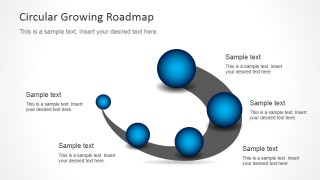
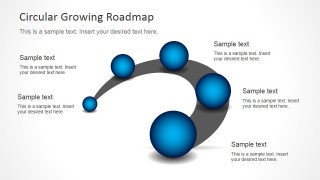
There are two slides in the Circular Growing Roadmap PowerPoint Template. The first slide exhibits the smallest sphere on the left. The user can utilize that shape as the initial phase. The following spheres grow in size as the road widens. The fifth and last sphere is the biggest, representing the final development. The next slide is a flipped image of the first. The curve of the road is going downward. The presenter is given an option to either present the events in ascending or descending manner.
Impress the audience with a new roadmap presentation using Circular Growing Roadmap PowerPoint Template. Roadmap Timeline with Spheres for PowerPoint () is another outstanding variation downloadable at the SlideModel gallery.
What’s inside this template
Example presentation scenarios
- A project manager can present a phased implementation plan by assigning each milestone sphere to a project stage and using the surrounding callouts for dates, owners, or deliverables.
- A strategy consultant can explain business growth by mapping five maturity stages along the circular roadmap and using sphere size to imply increasing scale or progress.
- A trainer or educator can teach a sequential process by placing each learning step on the curved path and adding short explanations in the editable callout areas.
- A product lead can summarize a launch roadmap by using the mirrored slide direction that best matches the reading flow of the broader deck.
Features
- 100% editable presentation template
- Compatible with Microsoft PowerPoint and Google Slides
- 16:9 aspect ratio slides
- Scalable vector shapes, icons and illustrations
- AI-Ready for Microsoft Copilot and Claude
- Instant access and download
Frequently asked questions
Q: How should the five milestones be written so the roadmap is easy to follow?
A: Write each sphere as one stage name, not a full sentence, and reserve the callout text for the key decision, output, or change at that stage. Because the spheres already imply progression, keep labels parallel, such as Discover, Plan, Build, Launch, and Scale, so the audience can follow the path without reading dense paragraphs.
Q: Who is this roadmap layout best suited for?
A: This template fits presenters who need to explain five broad phases rather than detailed scheduling. Project managers, consultants, trainers, and business leaders can use it to show progress from an initial state to a larger outcome, especially when the growth metaphor of increasing spheres supports the message.
Q: Why use a circular growing path instead of a straight timeline?
A: The curved path creates a sense of movement while the growing blue spheres give each stage visual weight. This works well when progress is not just chronological but accumulative, such as capability building, market expansion, or learning development. The mirrored option lets the presenter match the visual direction to the surrounding slide sequence.

Circular Growing Roadmap PowerPoint Template
2-slide circular roadmap presentation template with five-step timeline spheres and milestone callouts
The Circular Growing Roadmap PowerPoint Template is a 2-slide presentation template for showing five sequential milestones on a curved growth path. It includes an upward circular roadmap, a mirrored downward roadmap, gradient milestone spheres, and surrounding text callouts for project planners, trainers, and business presenters in Microsoft PowerPoint and Google Slides.
- Category
- Timelines & Planning
- Rating


 Loading...
- Aspect ratio
- 16:9, 4:3
- Item ID
- 8207-01
- Colors
 Microsoft PowerPoint
  Microsoft Copilot
  Claude for PowerPoint
 Other formats supported
Subscribe today and get immediate
access to download our PowerPoint templates.