The BIPOC Community PowerPoint Template is a thematic template created using human illustrations representing people of different races. BIPOC is an acronym for Black, Indigenous, and People of Color (POC). As indicated through the term, the BIPOC refers to an anti-racist concept that aims to rule out the norms of anti-blackness, white supremacy, and native invisibility. The BIPOC communities are the groups of people who work on this principle of BIPOC and promote this idea in general people. Their agenda is to strive for the rights of indigenous groups, black people, and others who face social discrimination because of color and culture.
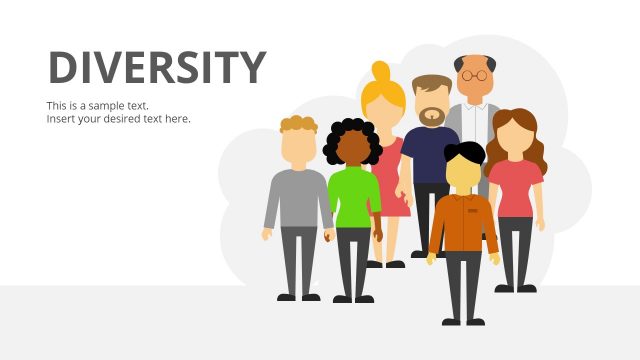
This BIPOC PowerPoint slide template carries representative visuals to elaborate on various concepts related to BIPOC, e.g., equity, inclusion, and diversity. The first slide, for instance, shows a black person having a megaphone in hand. This slide can be used in anti-racism BIPOC awareness presentations. In America, the BIPOC communities work diligently for this cause of anti-racism and equity of law for everyone. The following slides show the human visuals showing different races like white, black and Asians, etc. The slide with a person having a poster in hand can be used for presenting similar awareness concepts. There are specific slides for presenting the topics of equity in rights and citizenship for all people of all colors and cultures. One of these slides shows two people (white and black) holding their upheld hands. Similarly, the other slide shows a weighing balance diagram having one person on each side. This also represents the concept of equity and justice.
The BIPOC PowerPoint Template has two data-driven charts two display statistics and demographic data. All these slides are 100% editable and carry editable heading and description areas to facilitate the users. Presenters can change the color scheme, font styles, and arrangement of objects according to their design. So, download this engaging PPT template and edit it using PowerPoint, Google Slides, or Keynote.
What’s inside this template
Example presentation scenarios
- A DEI manager can use the megaphone cover and group representation slides to introduce an internal BIPOC awareness session and frame why the topic matters to employees.
- A nonprofit program lead can use the raised-hands solidarity slide and equity balance metaphor to explain a community advocacy campaign and its call for fair treatment.
- An educator can use the side-profile diversity slide and editable text placeholders to teach inclusion concepts while keeping the focus on people and lived experience.
- A social impact analyst can use the stacked area chart and monthly column chart to present participation, outreach, or demographic trends alongside a short narrative.
Features
- 100% editable presentation template
- Compatible with Microsoft PowerPoint and Google Slides
- 16:9 aspect ratio slides
- Scalable vector shapes, icons and illustrations
- AI-Ready for Microsoft Copilot and Claude
- Instant access and download
Frequently asked questions
Q: How should a presenter structure the message with this BIPOC template?
A: Start with the megaphone cover to establish the advocacy theme, then move into the human group and profile slides to center representation. Use the solidarity and equity balance slides for the core message, and reserve the chart slides for evidence. This order keeps the audience connected to people before introducing data.
Q: Who is this template best suited for, and in what presentation setting?
A: This template fits DEI teams, educators, nonprofit leaders, and community organizers who need to explain BIPOC awareness, inclusion, or equity in a meeting, workshop, or public briefing. The illustrations make it easier to discuss sensitive topics visually, while the chart slides give space for participation, outreach, or demographic evidence.
Q: Why do the megaphone, raised hands, and balance scale visuals help the message?
A: The visual metaphors separate three communication jobs: the megaphone signals voice and advocacy, raised hands show solidarity, and the balance scale represents equity and justice. Because each metaphor is easy to read, the presenter can move from awareness to collective action to fairness without relying only on dense text.


BIPOC Community PowerPoint Template
10-slide BIPOC presentation template with advocacy illustrations, equity visuals, and editable charts
The BIPOC Community PowerPoint Template is a 10-slide awareness and inclusion deck for Microsoft PowerPoint and Google Slides. It includes a megaphone cover, protest sign slide, group diversity illustrations, an equity balance metaphor, a stacked area chart, and a monthly column chart for community, DEI, or social impact presenters.
- Category
- Template Backgrounds
- Rating

 Loading...
- Aspect ratio
- 16:9
- Item ID
- 60540-01
- Colors
 Microsoft PowerPoint
 Microsoft Copilot
 Claude for PowerPoint
Other formats supported
Subscribe today and get immediate
access to download our PowerPoint templates.