Slide 4 of 4 from Balance PowerPoint Shape
Relative Weight Comparison of Person Againts a Group
Comparison of Groups in Balance Diagram
- Diagram
- Comparison Split
- Comparison Slide
- 16:9
- 100% Editable
The Comparison of Groups slide from the Balance PowerPoint Shape template provides a clear visual tool for contrasting team performance or resource allocation. Featuring editable shapes and a 3D balance scale graphic, this slide supports strategic decision-making in corporate presentations and pitch decks. It integrates well with business presentation templates that require detailed trade-off analysis and comparison insights.
About This Slide
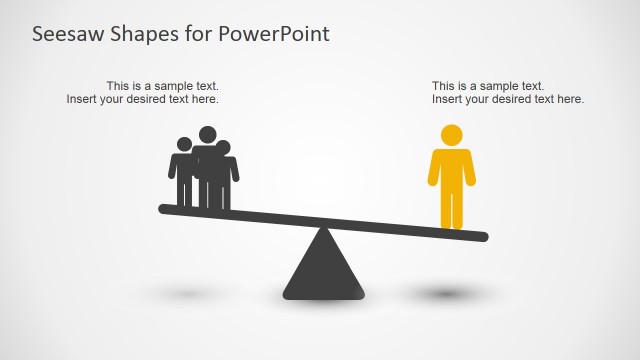
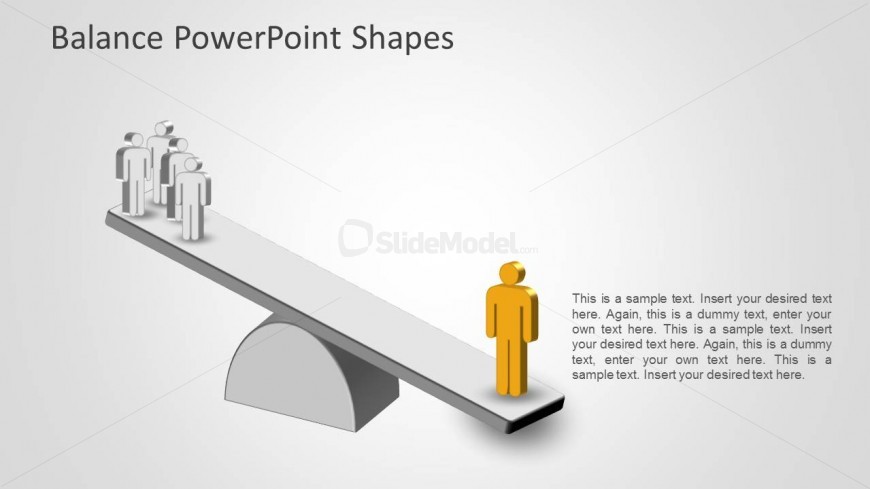
This slide presents a simple metaphor of a single person weighting more than a group of people. This metaphor can be interpreted through different angles, and that is why is so helpful and versatil. The presenter could explain how one person focused in a task has a higher efficiency than a group of people rumbling around it. Ideal for accountability speeches, this balance comparison will impress your audience. All objects are 100% Editable as they were created with PowerPoint Shapes.
What’s on This Slide
The slide features a 3D balance scale with a group of four gray figures on the left and a single yellow figure on the right. The balance beam is horizontal, supported by a semicircular fulcrum at the center. Above the beam, there is a title placeholder aligned centrally. To the right, there are multiple text placeholders, arranged vertically, allowing for detailed descriptions. The background is a light gradient, enhancing the visual focus on the balance scale. The overall composition emphasizes the comparison between the two groups.
How to Use It
This layout serves as a visual comparison tool, ideal for illustrating trade-offs between groups or options. It fits well in a presentation sequence after problem identification and before proposing solutions. Business scenarios include discussions on resource allocation, team dynamics, or performance evaluations, where contrasting two entities is essential for decision-making. The design allows for clear messaging about balance and comparison, making it effective for strategic discussions.
Text Placeholders & Capacity
Keep your copy within these limits so it fits without resizing. Node body slots can accommodate around 15-20 words each.
| Placeholder | Count | Max characters (approx.) |
|---|---|---|
| Slide title | 1 | 30 |
| Item body | 6 | 100 |
Slide Keywords
Download unlimited PowerPoint templates, charts and graphics for your presentations with our annual plan.
DOWNLOADReturn to Balance PowerPoint Shape.