Slide 1 of 1 from AWS Data Lake Foundation Architecture
13169-01-aws-datalake-foundation-architecture-16×9-1
AWS Data Lake Foundation Architecture Overview
- Diagram
- Other
- Technical Architecture Slide
- 16:9
- 100% Editable
The AWS Data Lake Architecture Diagram slide from the AWS Data Lake Foundation Architecture template provides a detailed technical architecture layout ideal for cloud service overviews and software development presentations. This slide template uses editable shapes and vector icons to clearly depict components like NAT gateways, bastion hosts, and auto-scaling groups within a virtual private cloud. It supports effective communication of complex AWS infrastructure in business presentations and technical discussions.
What’s on This Slide
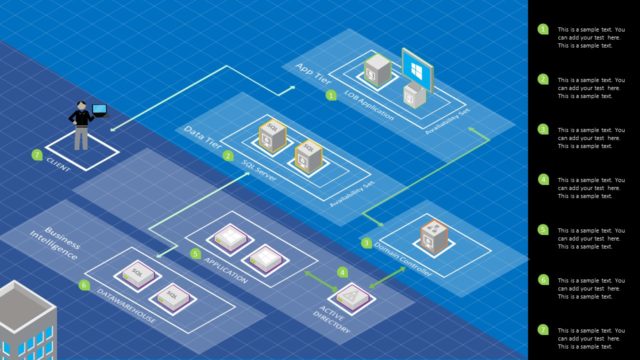
The layout features a central diagram illustrating the AWS Data Lake architecture. Key components include NAT gateways, bastion hosts, and auto-scaling groups, arranged within a virtual private cloud. The diagram displays public and private subnets with labeled IP addresses. Flow directions are indicated by arrows connecting various elements, such as web servers and databases. Icons representing services like Amazon Kinesis and Lambda function are positioned on the right. Text placeholders exist for titles and labels, aligned with the visual elements to enhance clarity.
How to Use It
This layout serves as a comprehensive architecture diagram, ideal for presenting technical infrastructure in a software development context. It fits well in a presentation sequence following an introduction to cloud services or data management strategies. Use this structure to explain complex systems, such as data lakes, in engineering discussions or software architecture reviews. It is suitable for stakeholders needing to understand the components and interactions within AWS environments, particularly in lean software development scenarios.
Text Placeholders & Capacity
Keep your copy within these limits so it fits without resizing. Node labels can hold concise text, roughly 3-5 words each.
| Placeholder | Count | Max characters (approx.) |
|---|---|---|
| Slide title | 1 | 30 |
| Item heading | 10 | 20 |
Slide Keywords
Download unlimited PowerPoint templates, charts and graphics for your presentations with our annual plan.
DOWNLOADReturn to AWS Data Lake Foundation Architecture.