Slide 3 of 14 from Animated All Into One Circle PowerPoint Template
All Into One Circle Animated PowerPoint Template
Central Idea with Supporting Icons Slide
- Diagram
- Circular Cycle
- Concept Explanation Slide
- 16:9
- 100% Editable
What’s on This Slide
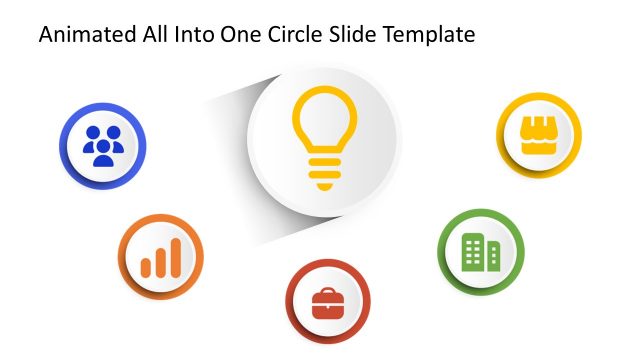
The slide features a central circular icon representing a light bulb, positioned in the center. Surrounding this icon are six smaller circular icons arranged in a circular layout. Each icon is a different color: blue, orange, red, green, and yellow. The icons depict various concepts, such as people, growth, a briefcase, and a store. The background is white, enhancing the visibility of the icons. Text placeholders are present at the top for a title and at the bottom for additional content, both centered and aligned for visual hierarchy.
How to Use It
This layout serves as a central idea with supporting elements, suitable for summarizing key concepts or themes. It fits well in a presentation sequence that introduces a main topic followed by related subtopics. This structure can be used in business contexts to illustrate core values, project components, or strategic initiatives. It is effective for engaging audiences by visually connecting a central theme with relevant supporting ideas.
Text Placeholders & Capacity
Keep your copy within these limits so it fits without resizing. Node labels can hold roughly 2-3 words each.
| Placeholder | Count | Max characters (approx.) |
|---|---|---|
| Slide title | 1 | 30 |
| Item heading | 6 | 15 |
Slide Keywords
Download unlimited PowerPoint templates, charts and graphics for your presentations with our annual plan.
DOWNLOAD