Slide 11 of 15 from A3 Thinking PowerPoint Template
Implementation Plan Timeline Slide – A3 Thinking Template Layout
Implementation Plan Slide for A3 Thinking
- Diagram
- Timeline Horizontal
- Process Slide
- 16:9
- 100% Editable
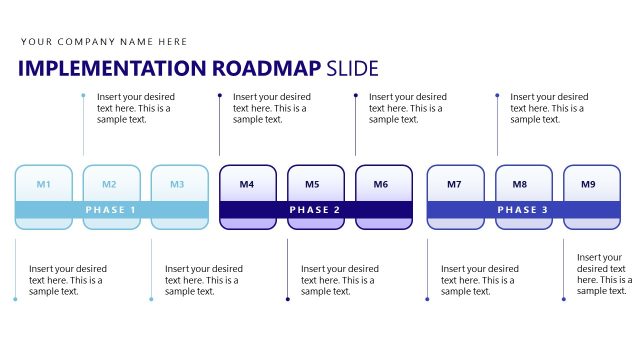
The Implementation Plan Slide from the A3 Thinking PowerPoint Template offers a horizontal timeline layout ideal for illustrating project timelines and milestone tracking. This slide is designed to enhance business presentations by clearly outlining implementation strategies using editable shapes and vector icons, making it suitable for corporate presentations and pitch deck templates.
What’s on This Slide
The slide features a horizontal layout with five rectangular text boxes positioned evenly across the center. Each box is labeled with a placeholder for text, aligned centrally. The boxes vary in color, with dark blue, light green, and dark green backgrounds. Above the boxes, a large title reads 'Implementation Plan Slide' in bold blue font. Below the boxes, there are small markers labeled M1 to M5, indicating stages or milestones. The background is a gradient of green and blue, with a large geometric shape in the top right corner.
How to Use It
This layout serves as a timeline or implementation plan, suitable for outlining steps or phases in a project. It fits well in a presentation sequence after problem identification slides and before detailed action plans. This structure is useful for business scenarios such as project management, strategic planning, or operational execution, where clear milestones need to be communicated to stakeholders.
Text Placeholders & Capacity
Keep your copy within these limits so it fits without resizing. Node body slots can hold about 10-12 words each.
| Placeholder | Count | Max characters (approx.) |
|---|---|---|
| Slide title | 1 | 30 |
| Item body | 5 | 60 |
| Item heading | 5 | 10 |
Slide Keywords
Download unlimited PowerPoint templates, charts and graphics for your presentations with our annual plan.
DOWNLOADReturn to A3 Thinking PowerPoint Template.