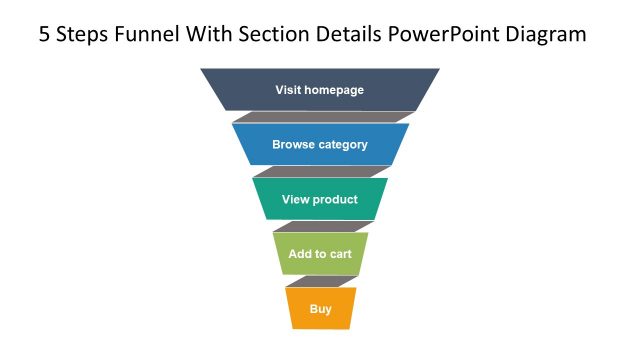
Slide 4 of 6 from 5 Steps Funnel With Section Details PowerPoint Diagram
Funnel Vision 5 Steps Diagram PPT
5 Steps Funnel Diagram with Section Details
- Diagram
- Funnel
- Process Slide
- 16:9
- 100% Editable
What’s on This Slide
The layout features a funnel diagram positioned on the left side, with five horizontal segments representing stages: Visit homepage, Browse category, View product, Add to cart, and Buy. The 'View product' stage is highlighted in teal. To the right, there are three rectangular text placeholders stacked vertically, each containing sample text. The placeholders are aligned to the right of the funnel and are connected by dotted lines to the 'View product' stage. The background is white, enhancing the visibility of the elements.
How to Use It
This layout serves as a visual representation of a marketing funnel, illustrating the customer journey through various stages. It is suitable for presentations focused on lead generation and sales processes. This slide fits well after problem identification slides, guiding the audience toward understanding the steps involved in converting leads. It can be used in marketing strategy discussions, sales training, or performance reviews to highlight conversion metrics.
Text Placeholders & Capacity
Keep your copy within these limits so it fits without resizing. Node labels can hold about 30 characters each, while body text can hold around 150 characters.
| Placeholder | Count | Max characters (approx.) |
|---|---|---|
| Item heading | 5 | 30 |
| Item body | 3 | 150 |
Slide Keywords
Download unlimited PowerPoint templates, charts and graphics for your presentations with our annual plan.
DOWNLOADReturn to 5 Steps Funnel With Section Details PowerPoint Diagram.