Slide 2 of 3 from 5 Step Core Diagram Template for PowerPoint
Core Diagram PowerPoint Template
5 Step Core Diagram for Presentations
- Diagram
- Process Flow
- Process Slide
- 16:9
- 100% Editable
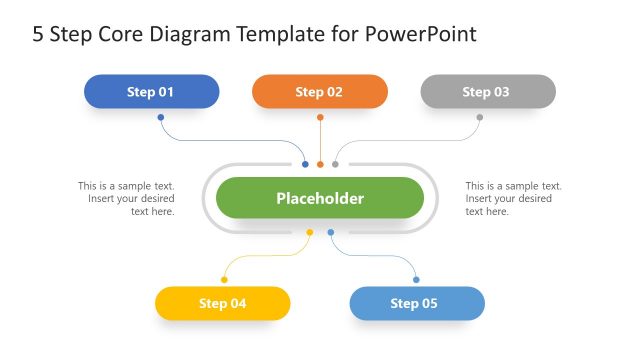
The 5 Step Core Diagram slide from the 5 Step Core Diagram Template for PowerPoint offers a clear process flow layout ideal for project management and strategic planning presentations. This slide template uses editable shapes and vector icons to visually connect five sequential steps to a central concept, enhancing comprehension in business presentations and pitch decks. Its clean design supports effective communication of complex processes within corporate presentation slide decks.
What’s on This Slide
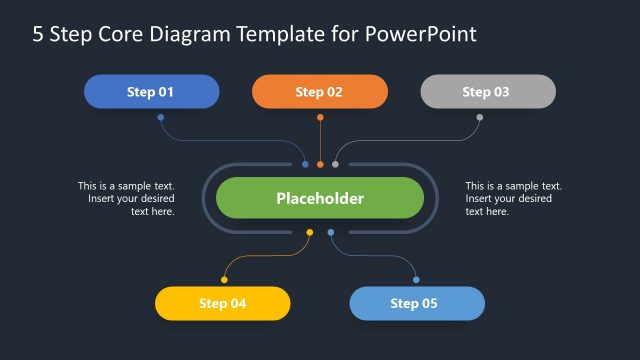
The layout features a central green shape surrounded by five blue shapes, each labeled as 'Step 01' through 'Step 05.' The central shape contains a text placeholder for main content, while each blue shape has a placeholder for additional text. Connecting lines extend from the blue shapes to the central shape, indicating a flow of information. The background is white, providing contrast to the colored shapes. The visual hierarchy emphasizes the central shape, indicating its importance in the diagram's structure.
How to Use It
This layout serves as a process flow diagram, effectively illustrating a five-step process or concept. It fits well in presentations that require a clear breakdown of sequential steps, such as project management or strategic planning. This structure is useful for business scenarios where explaining processes or methodologies is essential, allowing for easy understanding of each step's role in the overall framework.
Text Placeholders & Capacity
Keep your copy within these limits so it fits without resizing. Node body slots can hold around 10-15 words each.
| Placeholder | Count | Max characters (approx.) |
|---|---|---|
| Item heading | 5 | 20 |
| Item body | 5 | 50 |
| Body paragraph | 2 | 100 |
Slide Keywords
Download unlimited PowerPoint templates, charts and graphics for your presentations with our annual plan.
DOWNLOADReturn to 5 Step Core Diagram Template for PowerPoint.