Slide 1 of 3 from 5 Step Core Diagram Template for PowerPoint
5 Step Diagram Template for PowerPoint – White Background
5 Step Core Diagram for Presentations
- Diagram
- Process Flow
- Process Slide
- 16:9
- 100% Editable
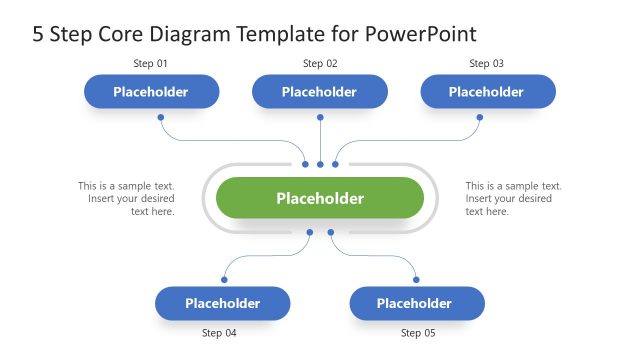
The 5 Step Core Diagram slide from the 5 Step Core Diagram Template for PowerPoint offers a clear process flow layout ideal for business presentations. This slide template uses editable shapes and vector icons to visually represent a five-step methodology, making it suitable for strategic frameworks and project overviews. It integrates well into corporate presentations and pitch deck templates, providing a structured approach to explain sequential processes effectively.
What’s on This Slide
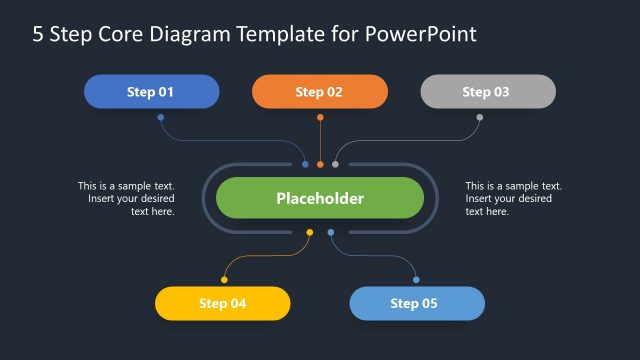
The slide features a central oval shape labeled 'Placeholder' surrounded by five rectangular nodes labeled 'Step 01', 'Step 02', 'Step 03', 'Step 04', and 'Step 05'. These nodes are positioned at the top and bottom, with connecting lines leading to the central shape. The nodes are colored differently: blue, orange, gray, yellow, and blue again. Below the central shape, there are two text placeholders for additional content, aligned centrally. The overall layout is structured to emphasize a flow from the steps to the central concept.
How to Use It
This layout serves as a process flow diagram, illustrating a five-step approach to a business concept. It is suitable for presentations that outline sequential processes or methodologies. This slide fits well at the beginning of a presentation to introduce key concepts or frameworks. It can be used in various business contexts, such as project management, strategic planning, or educational settings to explain a structured approach.
Text Placeholders & Capacity
Keep your copy within these limits so it fits without resizing. Node labels can hold about 3-5 words each, while body text slots can accommodate roughly 10 words each.
| Placeholder | Count | Max characters (approx.) |
|---|---|---|
| Item heading | 5 | 20 |
| Item body | 2 | 50 |
Slide Keywords
Download unlimited PowerPoint templates, charts and graphics for your presentations with our annual plan.
DOWNLOADReturn to 5 Step Core Diagram Template for PowerPoint.